Past Tickets Search AI by Macha
AI powered search for past Zendesk tickets
Sobre este aplicativo

🔍 AI powered search for past Zendesk tickets
Support teams solve similar issues every day, but finding the right past ticket to reference is often slow and frustrating.
Past Tickets Search AI by Macha solves that by helping agents quickly find relevant past tickets directly inside Zendesk.
Start your free trial — no credit card required.
🫰 Getting started
Get started in just a few minutes.
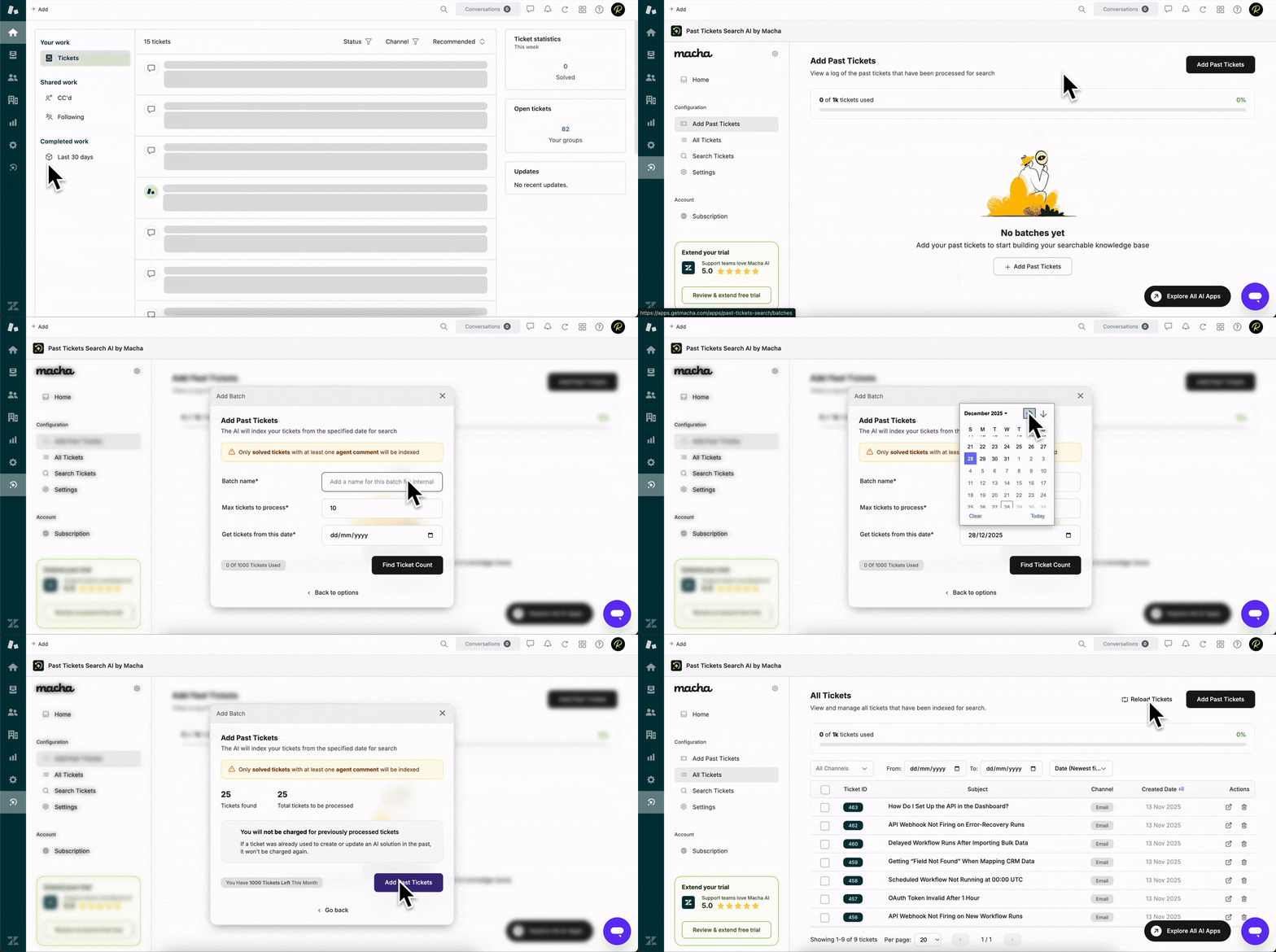
❤️ Why support teams love Past Tickets AI Search by Macha
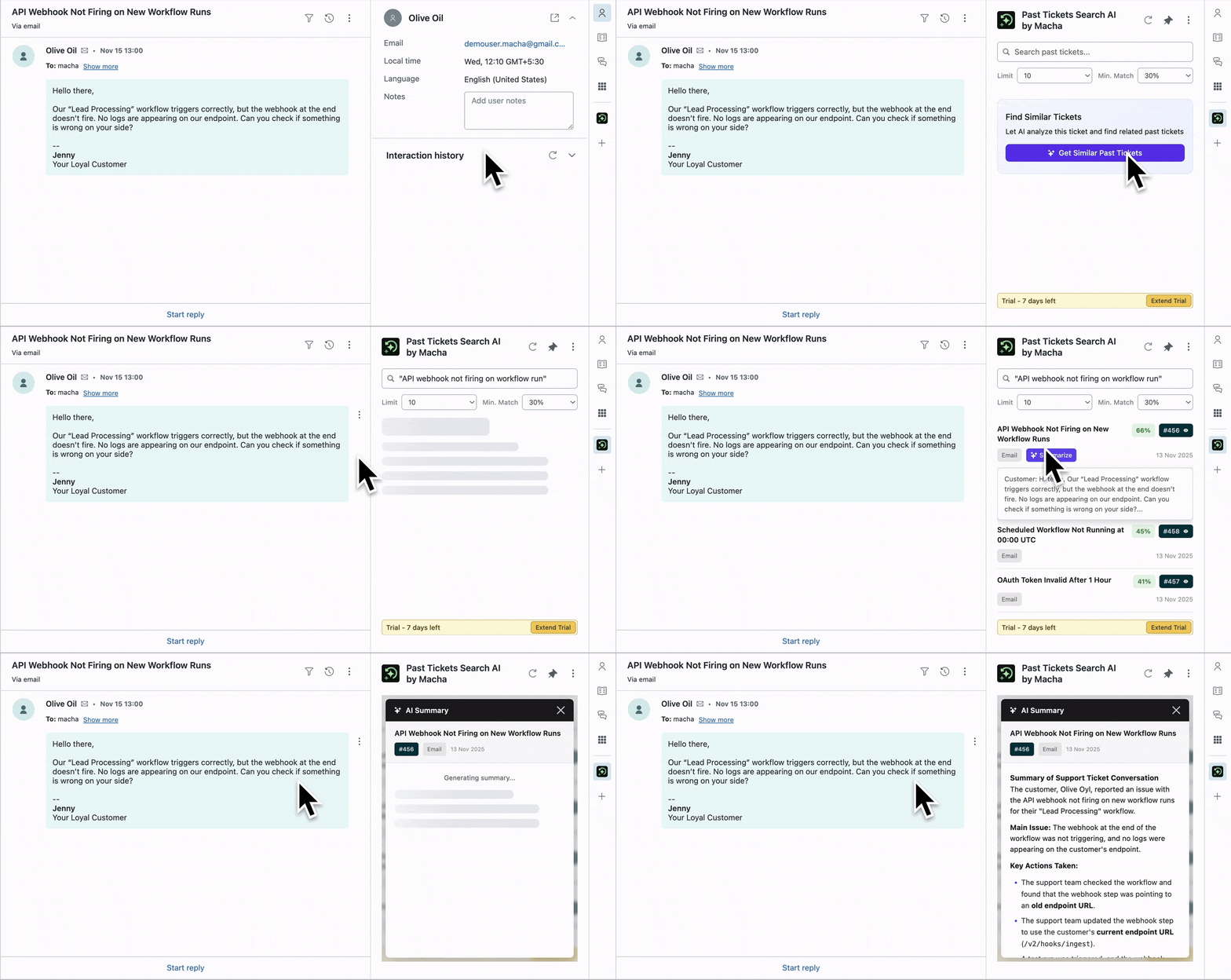
⚡ Find similar tickets in seconds: Agents can quickly find similar past tickets without relying on memory, teammates, or manual searching.
🛠️ Search without leaving the ticket: The app lives inside the Zendesk sidebar, so agents stay focused on the ticket they're working on.
📈 Grows with your ticket history: Choose a plan based on how many past tickets you want available for search as your support operation grows.
✨ One job, done well: This app does one thing well: search past tickets fast.
💡 Resolve issues with confidence: Reduce time spent digging through old tickets and help agents resolve issues with confidence.
⚙️ How it works
🤝 Who it's for
Past Tickets AI Search is built for support teams that:
Handle recurring or similar customer issues
Want a faster way to find relevant past tickets
Prefer simple, focused tools over complex systems
Want to help agents work more efficiently without changing existing processes
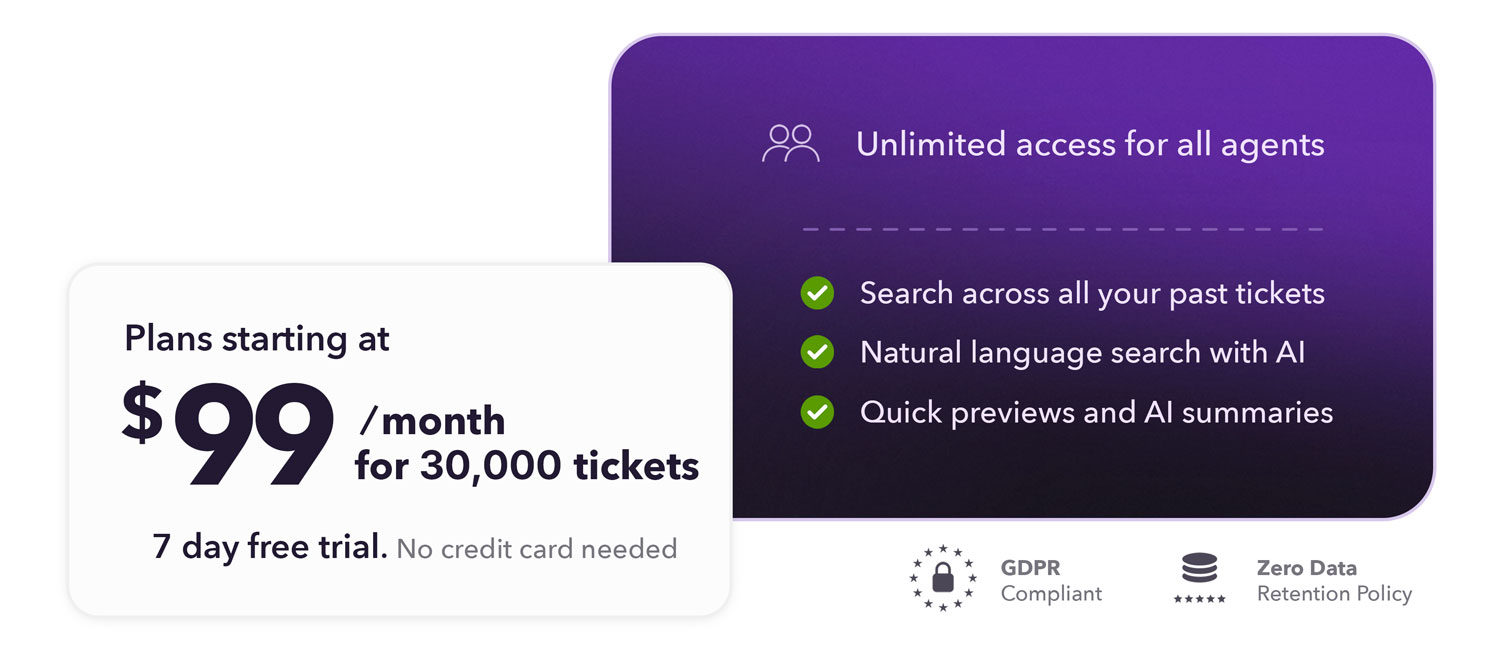
💲 Pricing
Pricing is based on how many past tickets you want available for search.
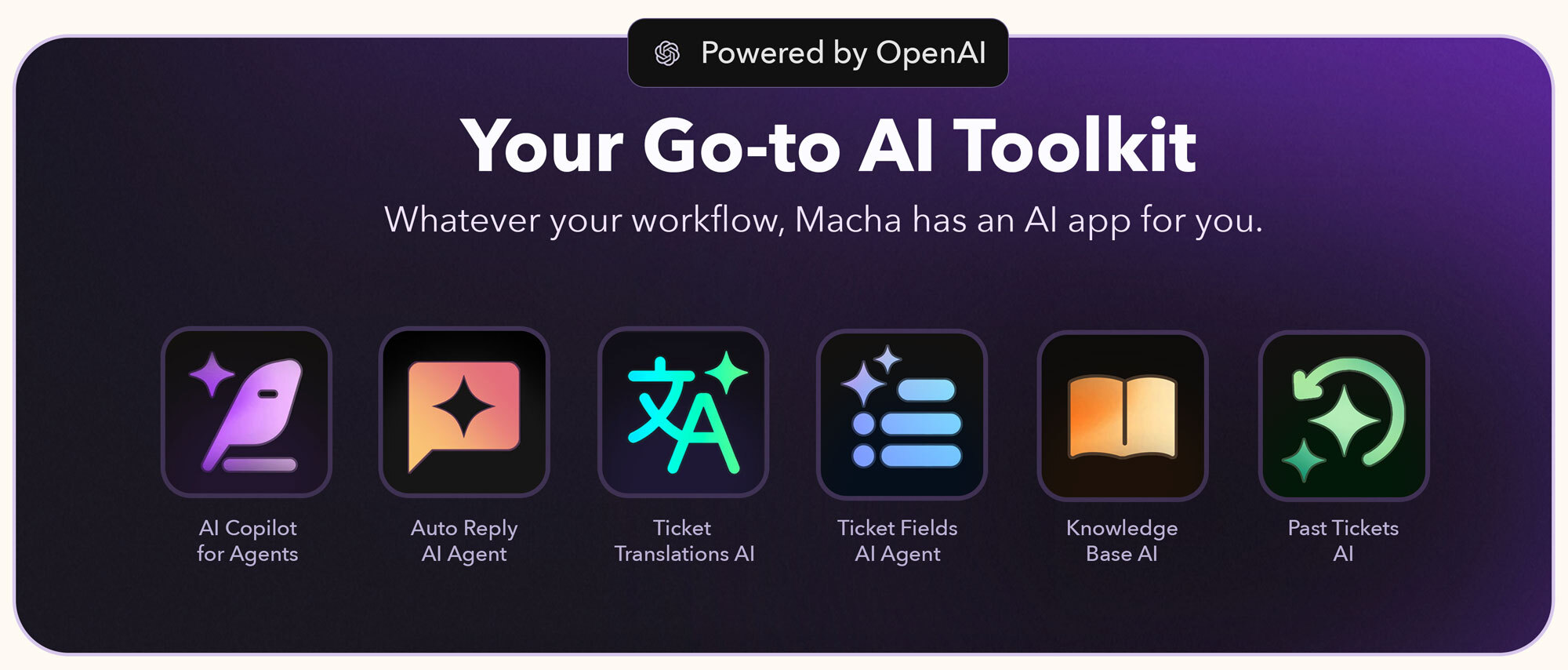
🧩 Explore the complete Macha AI app suite
Discover all our Zendesk apps here: Macha AI App Suite

Got questions?
Just write to us at support@getmacha.com
Learn more about us at getmacha.com
Book a demo or onboarding session: Book a Quick Slot
🔐 Data Security at Macha AI
We prioritize data security to ensure your information remains safe. Here's how we protect it:
Minimal Data Storage: We only save what's essential — AI-generated knowledge — while excluding customer details and raw ticket data.
Strict Data Encryption: All stored data, including knowledge base information, is fully encrypted for maximum security.
PII Redaction: Any personally identifiable information (PII) is automatically redacted before data is stored.
View our Privacy Policy. Learn about our Security. Learn how we Protect and Process Data.
Detalhes do aplicativo
Como instalar
Just 3 Simple Steps to Go-Live
Install the Past Tickets Search app on your Zendesk
Open the app dashboard from the left Zendesk sidebar and complete the onboarding flow
Now open any Zendesk ticket > Open Past Tickets Search AI from right sidebar to start searching similar past tickets
That's it — your past tickets search got a whole lot easier.
Need help? Just write to us
Deixe uma avaliação
Compartilhe sua experiência com o resto da comunidade Zendesk