Top 8 AI knowledge management tools of 2026
Compare top AI knowledge management tools by strengths, key features, and selection criteria to improve customer experiences and employee productivity.



Lauren Hakim
Director, Product Marketing
Última atualização em October 14, 2026
What are AI knowledge management tools?
AI knowledge management tools capture, connect, organize, and deliver knowledge using AI. Unlike traditional systems, they don’t just store information; they surface the right answers with context and automate how knowledge is structured and shared. The result is faster customer resolutions, more efficient employee service, and less time spent searching for information.
A common problem of support teams is having to navigate scattered knowledge to find the right answer. Information spans across tickets, docs, chats, and tools, forcing agents to hunt for relevant details while customers wait and trust erodes.
The problem grows as teams scale. Different sources conflict, outdated content resurfaces, and admins struggle to identify missing or inaccurate information, leaving both employees and customers frustrated.
AI knowledge management tools change the model. They create a single source of truth that delivers accurate answers in real time, so teams move faster and every interaction stays consistent.
More in this guide:
- AI knowledge management tools comparison chart
- 8 best AI knowledge management tools
- Benefits of AI knowledge management tools
- How to choose an AI knowledge management tool
- Rollout tips and best practices
- Frequently asked questions
- Put AI knowledge to work with Zendesk
AI knowledge management tools comparison chart
Use this chart to compare the top AI knowledge management tools at a glance. It highlights key features, pricing, and use cases side by side. Start here to quickly narrow down your options.
|
Software |
Best for |
Starting price |
Free trial |
|
Zendesk |
AI-powered, unified knowledge management for customer and employee service |
$19 per agent/month (billed annually) |
14 days |
|
Guru |
Internal knowledge sharing with browser-based access |
Custom pricing |
30 days |
|
Glean |
Enterprise search across multiple workplace tools |
Custom pricing |
Unavailable |
|
Notion |
Flexible documentation and team collaboration |
$10 per agent/month |
30 days |
|
Confluence |
Enterprise documentation and team collaboration |
$5.42 per agent/month |
7 days |
|
Tettra |
Lightweight internal knowledge bases for small teams |
$8 per agent/month |
30 days |
|
Starmind |
Knowledge discovery through internal expertise networks |
$1.80 per active user/month |
14 days |
|
Document 360 |
Customer-facing knowledge bases and documentation |
Custom pricing |
14 days |
8 best AI knowledge management tools
Below is a closer look at the best AI knowledge management tools available today. Each platform is evaluated based on capabilities, strengths, and limitations. Use this section to find the right fit for your team.
- Zendesk: Best for AI-powered, unified knowledge management for customer and employee service
- Guru: Best for internal knowledge sharing with browser-based access
- Glean: Best for enterprise search across multiple workplace tools
- Notion: Best for flexible documentation and team collaboration
- Confluence: Best for enterprise documentation and team collaboration
- Tettra: Best for lightweight internal knowledge bases for small teams
- Starmind: Best for knowledge discovery through internal expertise networks
- Document 360: Best for customer-facing knowledge bases and documentation
1. Zendesk
Best for AI-powered, unified knowledge management for customer and employee service
|
Starting price |
Free trial |
Key features |
|
$19 per agent/month billed annually Explore more Zendesk pricing plans. |
14 days |
|
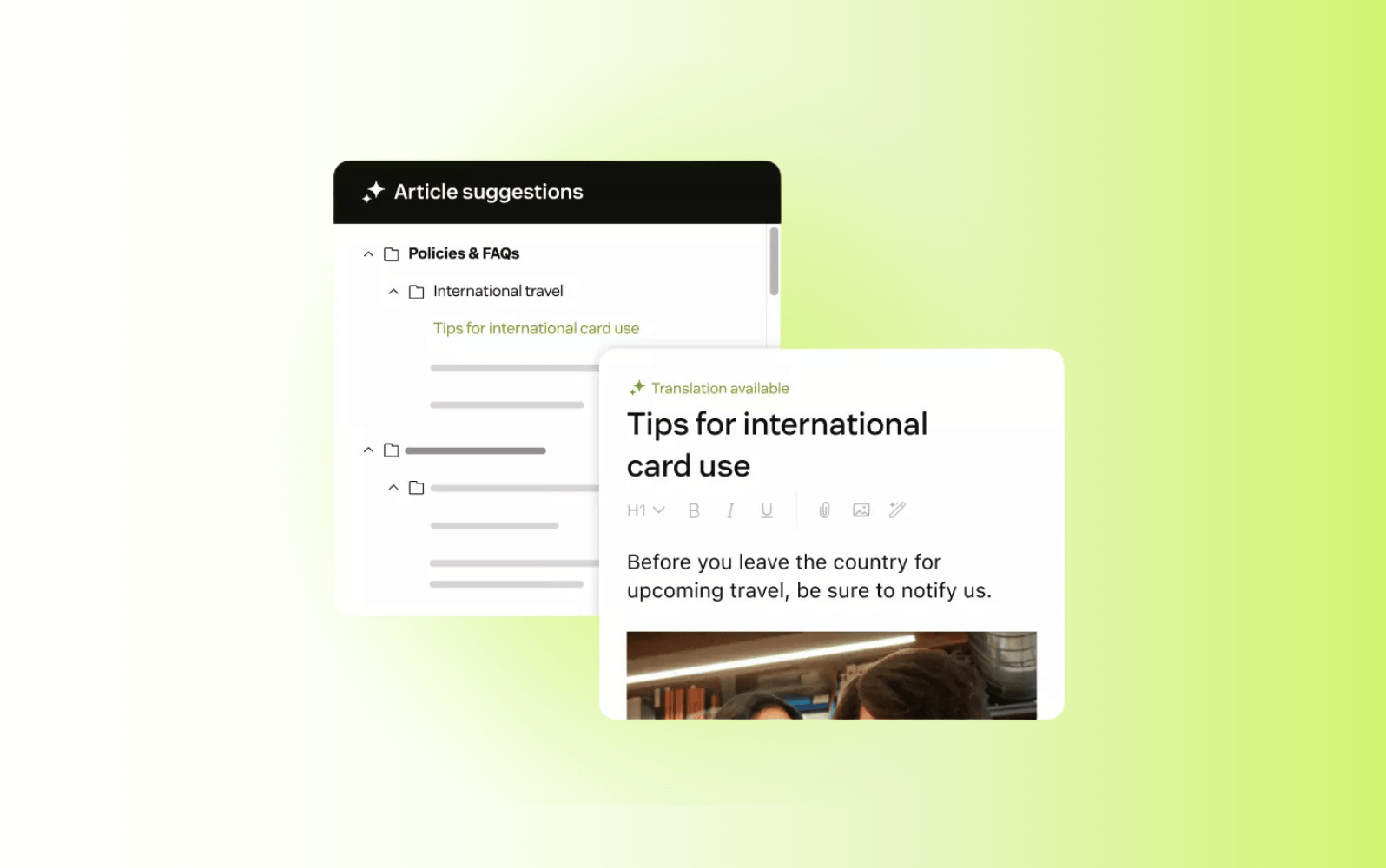
Built for modern service teams, Zendesk connects knowledge, AI, and workflows within a single platform. Its knowledge base software centralizes content and delivers accurate answers across customer and employee interactions. This creates a single source of truth that scales across channels and teams.
The platform unifies content from articles, internal docs, multimodal data and external systems into one connected layer. With its knowledge base, teams manage customer-facing and internal content in one place. AI-powered search surfaces the right answers instantly, while automation reduces manual content management.
Zendesk also brings knowledge directly into the flow of work. With AI Copilot, agents receive real-time suggestions based on past tickets and knowledge sources. This improves consistency, speeds up resolution times, and reduces time spent searching. The result is faster service, stronger accuracy, and a knowledge system that continuously improves with every interaction.
|
Pros |
Cons |
|
|
What people are saying:
- “The generative AI service is a favorite of mine because it helps us create multi-level responses based on our knowledge base” - Verified user, G2.
- "The knowledge bases are easy for customers to use and navigate through." - Verified user, G2.
- "Centralized Support with Superior AI and Reporting" - Verified user, G2.
2. Guru
Best for internal knowledge sharing with browser-based access
|
Starting price |
Free trial |
Key features |
|
Custom pricing |
30 days |
|
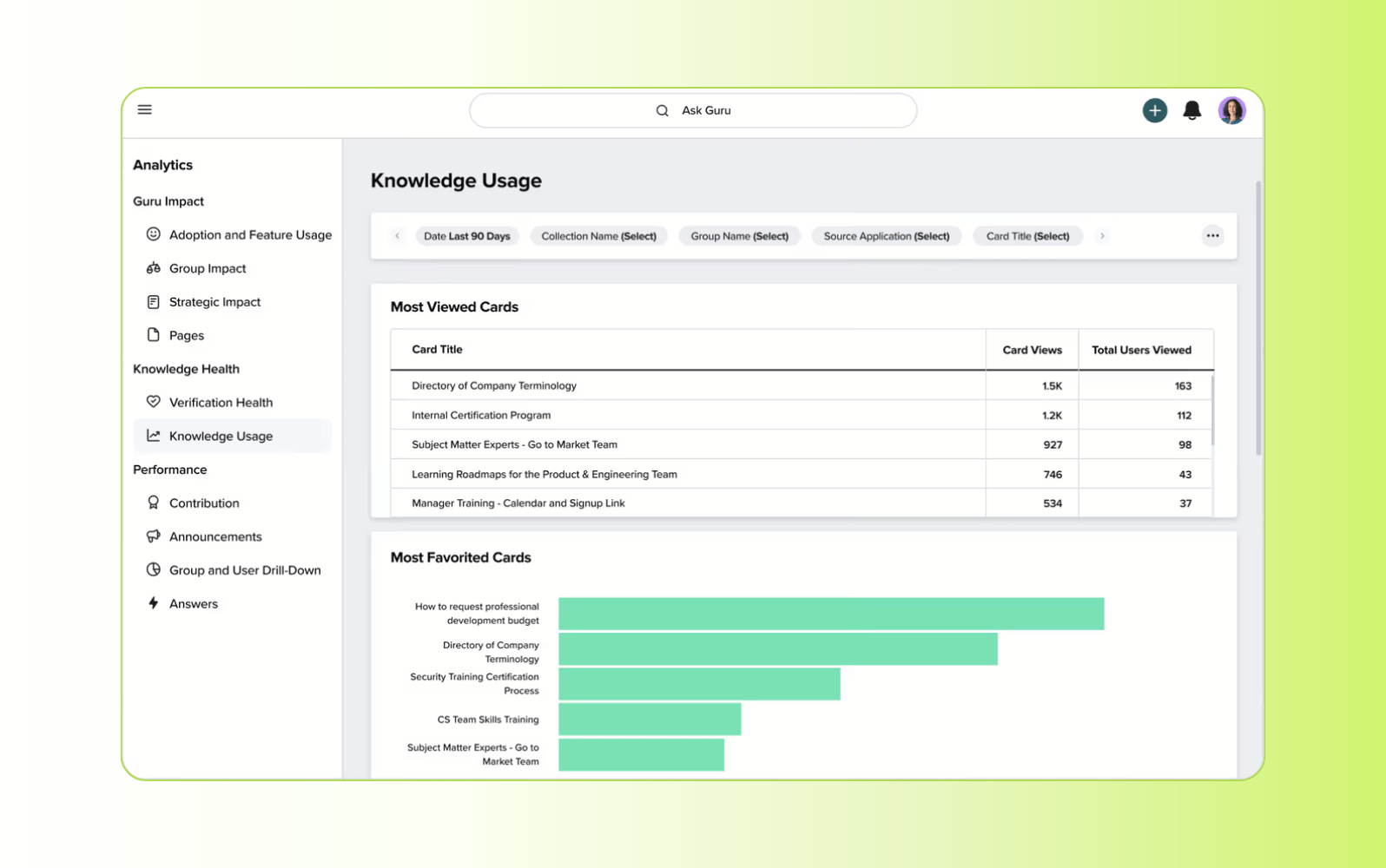
Designed for teams that need fast access to trusted internal knowledge, Guru combines a knowledge base with AI-powered search. It centralizes company information and delivers answers directly within tools employees already use, reducing time spent switching between systems.
Its browser extension surfaces knowledge in real time, keeping answers accessible during day-to-day workflows. Verification processes maintain content accuracy and reduce the risk of outdated information. However, the platform is primarily built for internal use, which limits its effectiveness for customer-facing knowledge at scale.
|
Pros |
Cons |
|
|
What people are saying:
- "Real-Time AI Assistance Boost with Minor Navigation Hiccups" - Verified user, G2.
- "Efficient Knowledge Management, Needs Better Organization" - Verified user, G2.
- "User-Friendly and Customizable, But Needs Some Tweaks" - Verified user, G2.
Learn more: Discover how Guru integrates with Zendesk
3. Glean
Best for enterprise search across multiple workplace tools
|
Starting price |
Free trial |
Key features |
|
Custom pricing |
Unavailable |
|
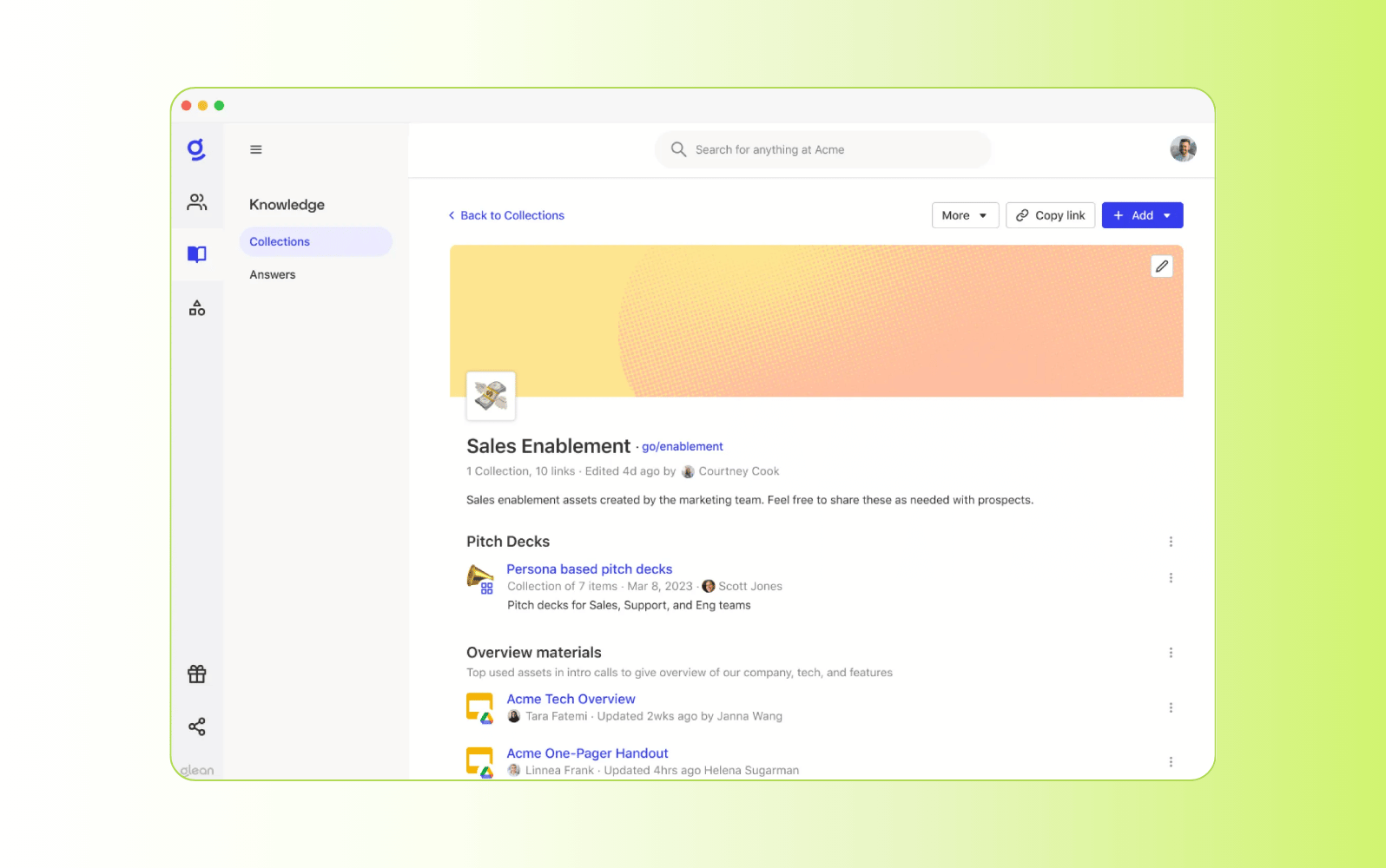
Built for organizations managing large volumes of information, Glean focuses on connecting knowledge across workplace tools. It indexes data from platforms like Google Drive, Slack, and Salesforce, creating a unified search layer across distributed systems.
Its AI surfaces personalized results based on user behavior, context, and permissions, which improves relevance across large datasets. This makes it easier to locate information quickly in complex environments. However, it operates mainly as a search layer, offering limited native capabilities for creating, structuring, or governing knowledge content.
|
Pros |
Cons |
|
|
What people are saying:
- "Clean UI, Quick Task Completion" - Verified user, G2.
- "Unified search, but mostly finds documents based on exact keyword matches" - Verified user, G2.
- "Glean UI is fast/responsive and backend is scalable for load" - Verified user, G2.
Learn more: Discover how Glean integrates with Zendesk
4. Notion
Best for flexible documentation and team collaboration
|
Starting price |
Free trial |
Key features |
|
$10 per agent/month |
30 days |
|
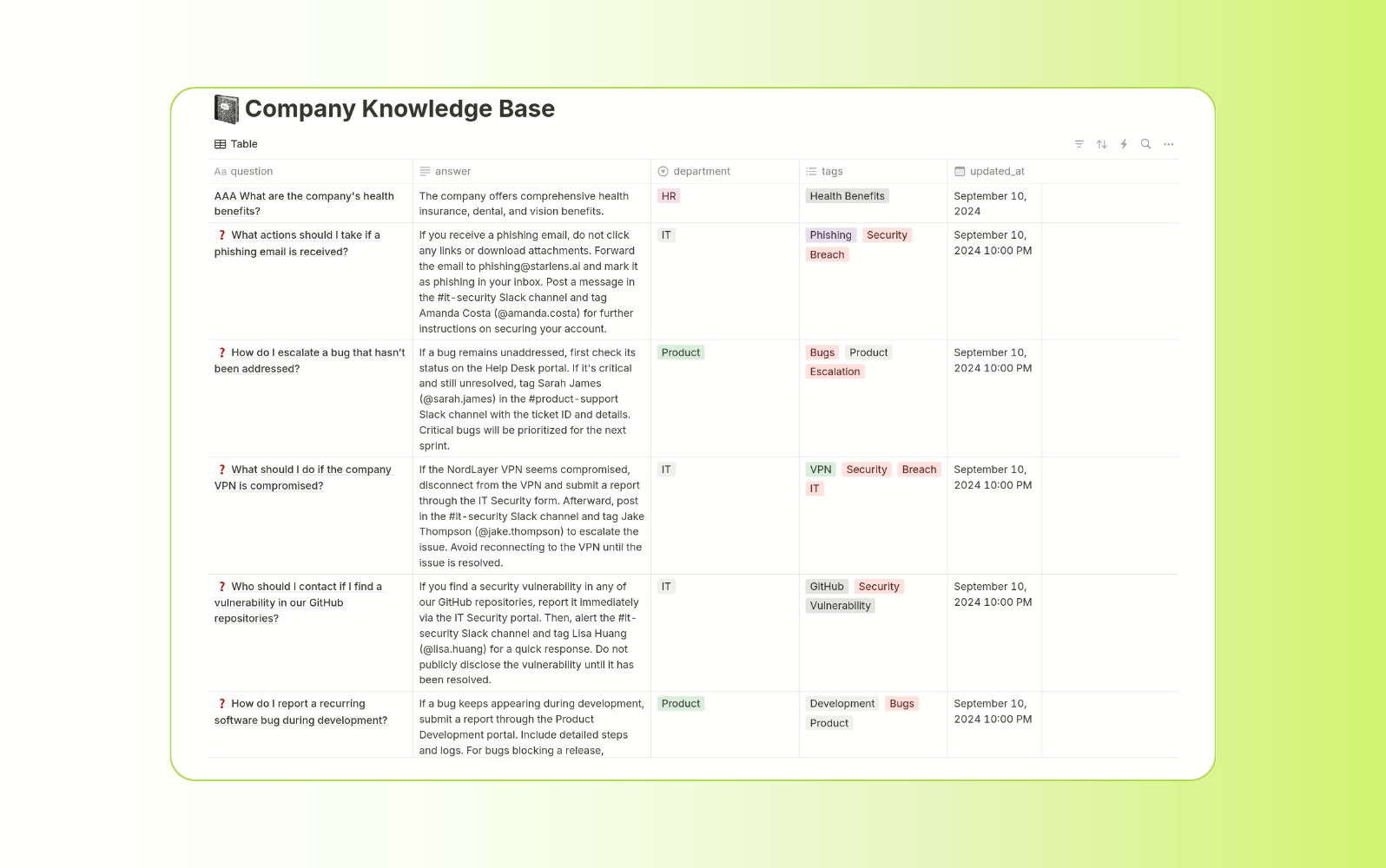
Popular among startups and cross-functional teams, Notion combines documentation, databases, and collaboration into a single workspace. Teams use it to organize internal knowledge, manage projects, and create shared documentation without switching tools.
Its AI features generate content, summarize information, and improve writing directly within pages. Flexible structures allow teams to build custom knowledge systems that fit their workflows. However, this flexibility can lead to inconsistent organization, making it harder to maintain a reliable single source of truth at scale.
|
Pros |
Cons |
|
|
What people are saying:
- "It provides a very clean and intuitive interface that makes managing internal documentation and knowledge bases much easier" - Verified user, G2.
- "It acts as a central knowledge bank for the company. This makes collaboration easier." - Verified user, G2.
- "Versatile Tool with AI Benefits, But Setup Challenges." - Verified user, G2.
Learn more: Discover how Notion integrates with Zendesk
5. Confluence
Best for enterprise documentation and team collaboration
|
Starting price |
Free trial |
Key features |
|
$5.42 per agent/month |
7 days |
|
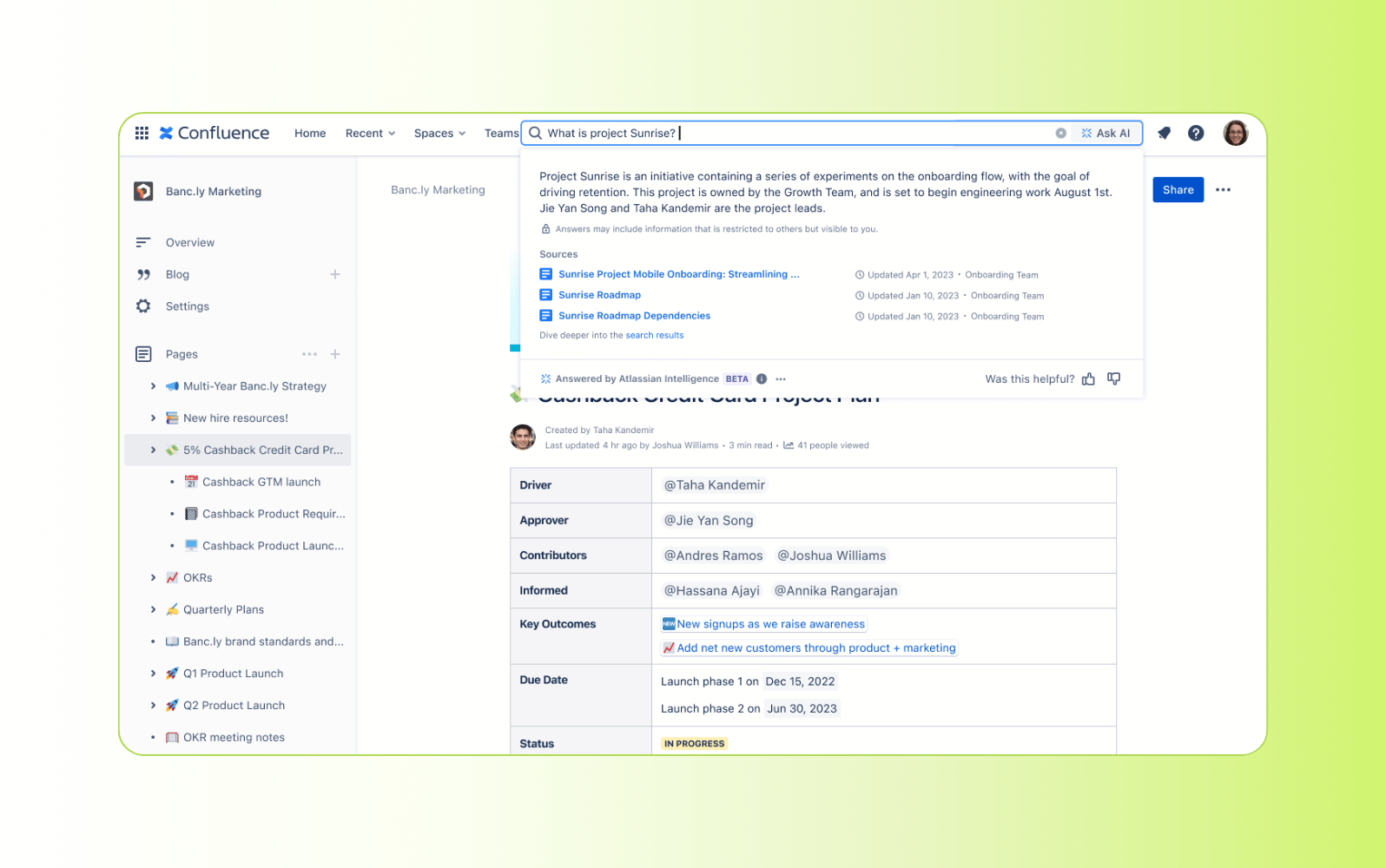
Widely used by enterprise teams, Confluence provides a centralized workspace for documentation, knowledge sharing, and project collaboration. It organizes content into structured spaces and pages, making it easier to manage large volumes of internal documentation.
Its integration with Jira and other Atlassian tools connects knowledge directly to development and operational workflows. AI features assist with content creation and summarization, improving efficiency for teams managing extensive documentation. However, the platform can become complex to navigate, especially as content scales across teams and departments.
|
Pros |
Cons |
|
|
What people are saying:
- "The structured knowledge organization helps keep everything tidy." - Verified user, G2.
- "The search function is powerful but can return results that are less relevant if you're not careful." - Verified user, G2.
- "Knowledge transfer and day-to-day communication feel smoother and more transparent." - Verified user, G2.
6. Tettra
Best for lightweight internal knowledge bases for small teams
|
Starting price |
Free trial |
Key features |
|
$8 per agent/month |
30 days |
|
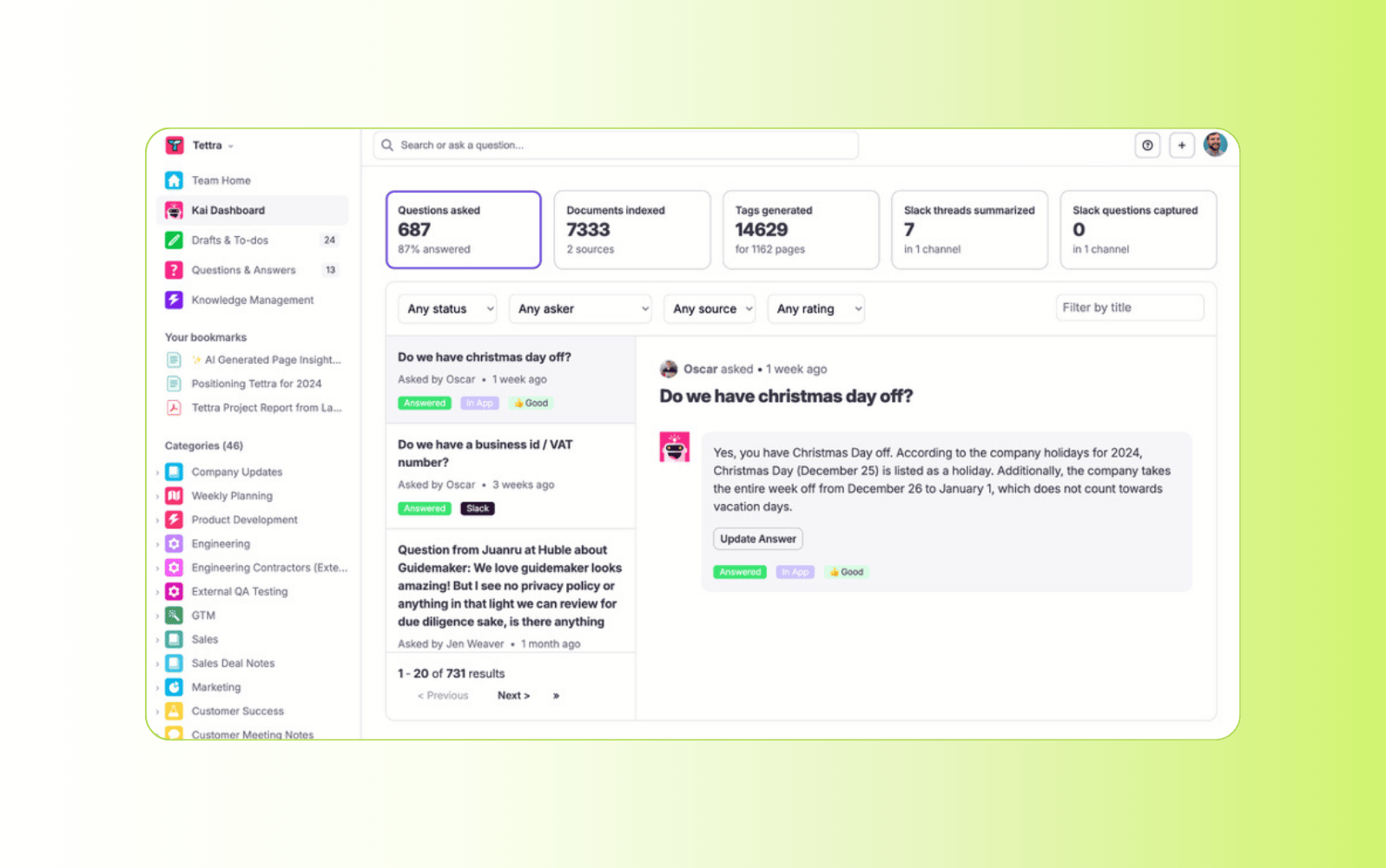
Geared toward small and mid-sized teams, Tettra focuses on making internal knowledge easy to create and access. It integrates closely with tools like Slack and Microsoft Teams, allowing teams to capture and retrieve information without leaving their communication platforms.
Its AI assistant answers questions using existing knowledge, which reduces repetitive requests and speeds up internal support. The platform emphasizes simplicity, with lightweight organization and quick setup. However, it lacks advanced customization and scalability features, which can limit its effectiveness for larger organizations with complex knowledge needs.
|
Pros |
Cons |
|
|
What people are saying:
- "I like how easy Tettra makes it to find reliable, up-to-date information." - Verified user, G2.
- "Fairly basic knowledge documentation tool" - Verified user, G2.
- "The simplistic functionality is easy for teams to produce content for the organization." - Verified user, G2.
7. Starmind
Best for knowledge discovery through internal expertise networks
|
Starting price |
Free trial |
Key features |
|
$1.80 per active user/month |
14 days |
|
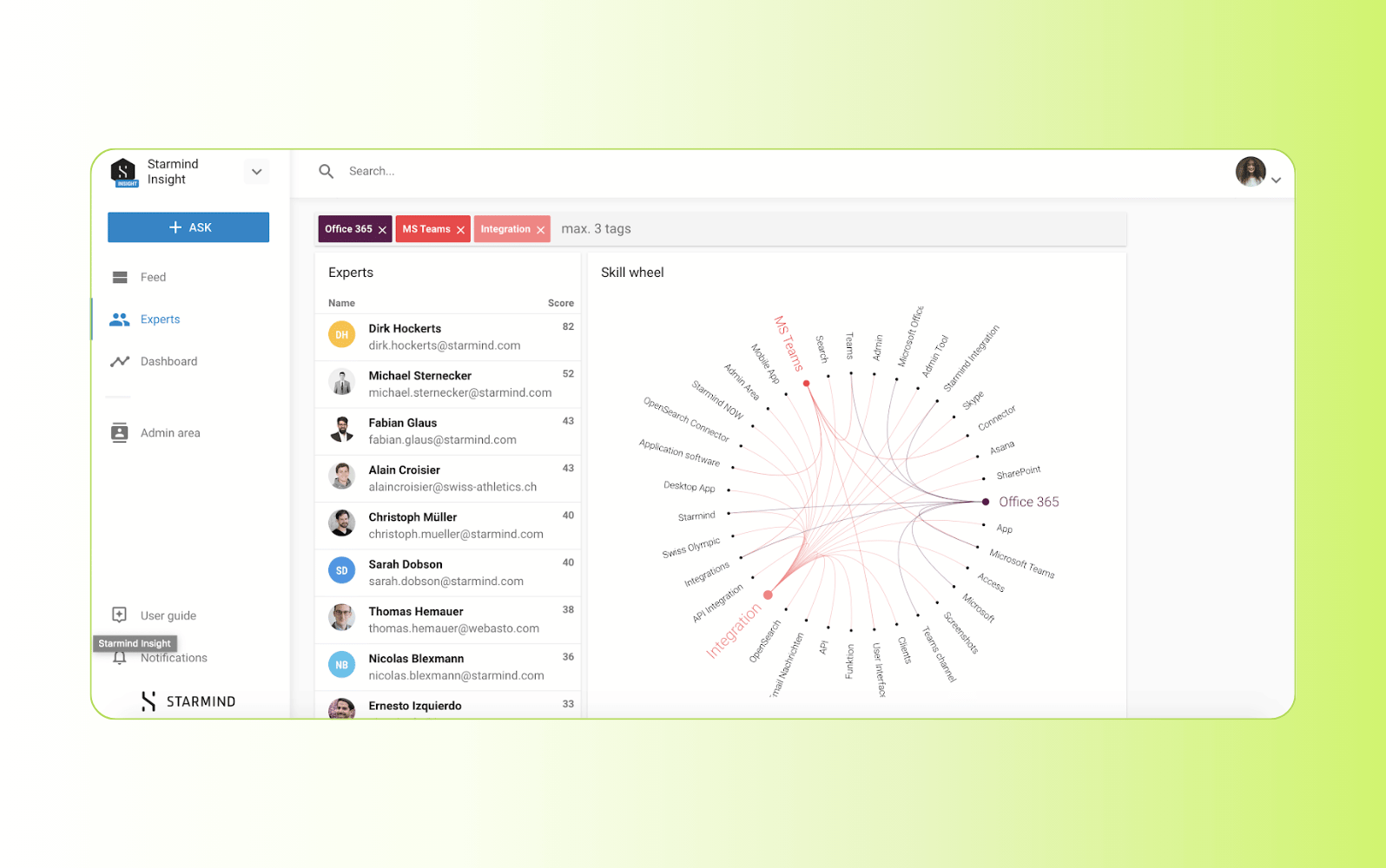
Designed for organizations where knowledge lives in people as much as systems, Starmind focuses on connecting employees with internal experts. It analyzes communication patterns and knowledge signals to identify who knows what across the business.
Its AI routes questions to the right person in real time, enabling faster, more accurate responses for complex or niche topics. Over time, the system learns from interactions to improve matching and expand organizational knowledge visibility. However, it relies heavily on active participation, which can limit effectiveness if adoption across teams is inconsistent.
|
Pros |
Cons |
|
|
What people are saying:
- "A great tool to connect our collective intelligence on a single network" - Verified user, G2.
- "Starmind is easy to use and can be used on my mobile device." - Verified user, G2.
- "Sometimes needs to be more accurate" - Verified user, G2.
8. Document360
Best for customer-facing knowledge bases and documentation
|
Starting price |
Free trial |
Key features |
|
Custom |
14 days |
|
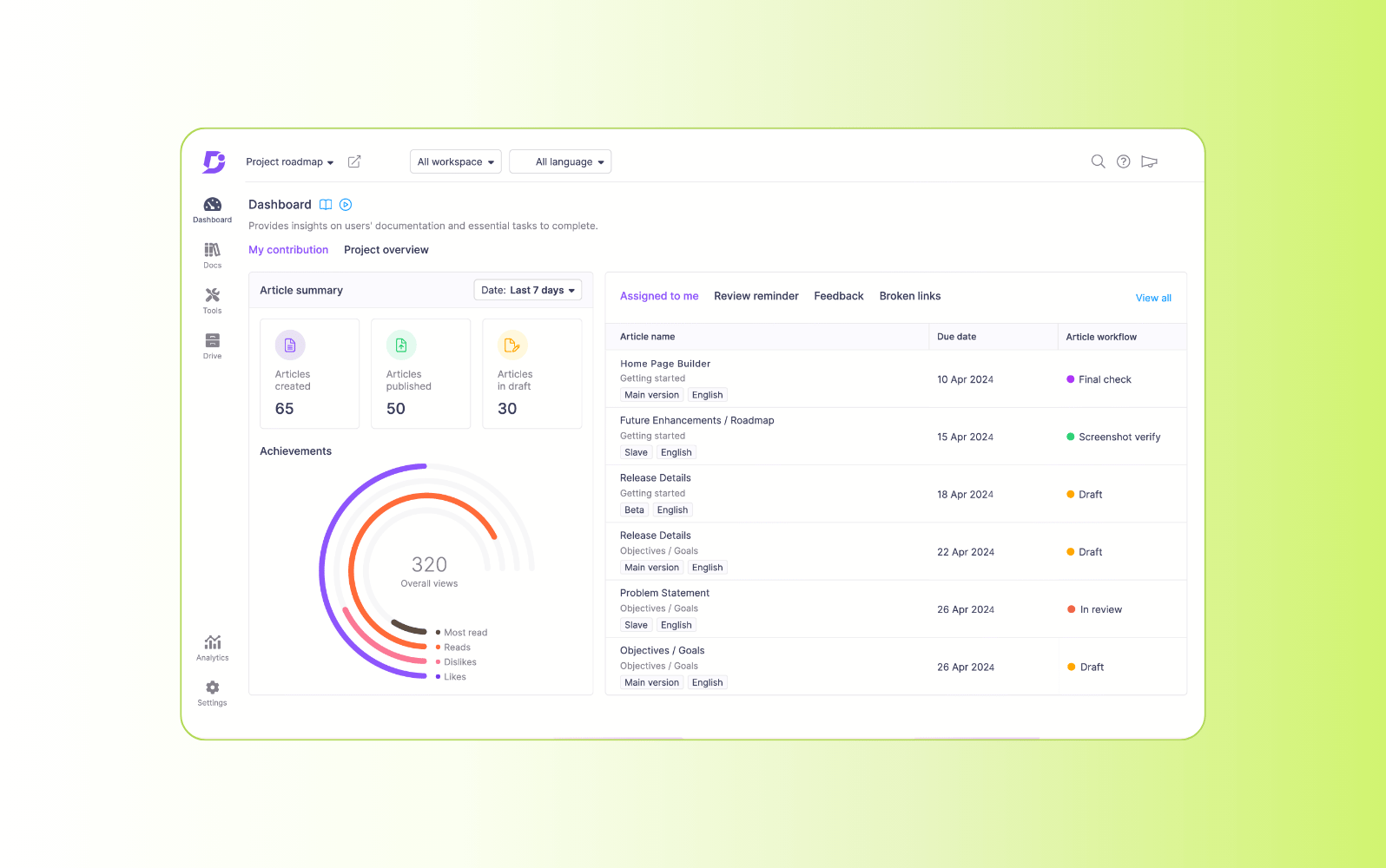
Focused on external documentation, Document360 enables teams to build and manage customer-facing knowledge bases. It provides structured content organization with categories, version control, and publishing workflows designed for support and product documentation.
Its AI search improves content discoverability, while analytics highlight gaps and performance trends across articles. This helps teams refine self-service experiences over time. However, the platform is primarily built for external use cases, with limited capabilities for unifying internal knowledge across tools and workflows.
|
Pros |
Cons |
|
|
What people are saying:
- "I find the interface of Document360 simple and easy to use." - Verified user, G2.
- "Occasionally, the formatting can become a little disorganized" - Verified user, G2.
- "Feature-Rich and User-Friendly, But API Docs Need Improvement" - Verified user, G2.
Benefits of AI knowledge management tools
AI knowledge management tools provide a host of benefits for teams. When employees find accurate answers faster, they spend less time searching and more time resolving issues. That efficiency drives consistency. In turn, customers receive clearer, more reliable support, which improves satisfaction and trust over time.
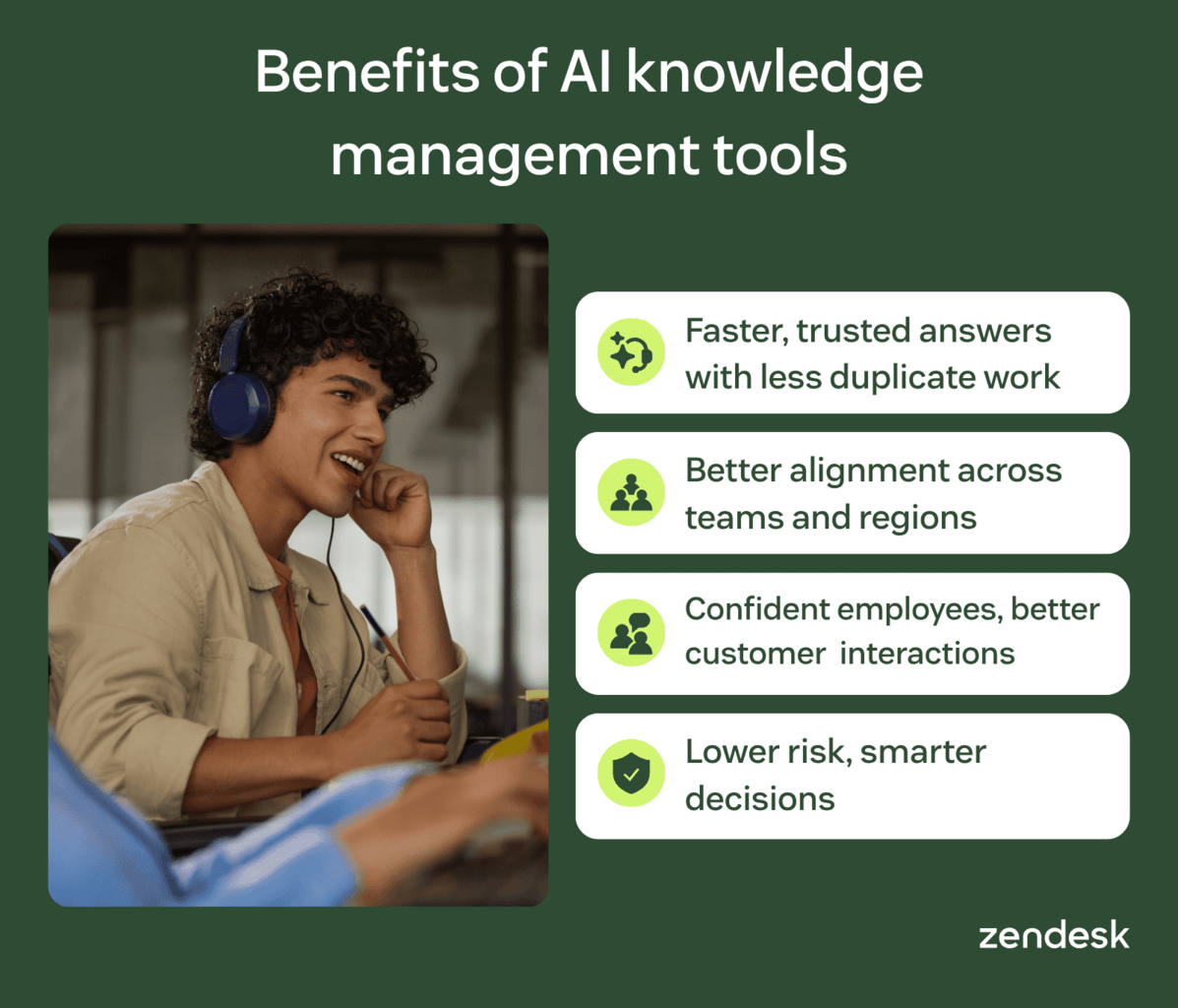
Faster, trusted answers with less duplicate work
Surfacing the right content at the right time reduces time to answer and improves consistency. Agents no longer search across tools or rely on memory to respond.
Strong findability also reduces duplicate work. Teams stop recreating content or answering the same questions repeatedly, which cuts interruptions and escalations.
Over time, this creates a consistent knowledge layer across channels. Every agent delivers the same trusted answer, regardless of experience or location.
Better alignment across teams and regions
A unified knowledge layer keeps teams aligned on what’s accurate and current. Support, product, and operations all reference the same source, which reduces conflicting answers and miscommunication.
This consistency extends across regions and functions. Teams deliver the same guidance regardless of location, which is critical for maintaining quality as organizations scale.
Improved employee confidence and better customer interactions
Easy access to accurate knowledge builds confidence across teams. Agents, especially new hires, rely less on informal knowledge and more on verified information stored in an internal knowledge base.
This reduces hesitation during complex or high-pressure interactions. Confident agents deliver clearer, more consistent responses, which improves customer trust and overall experience.
Lower risk and smarter decisions with knowledge insights
Strong governance reduces the risk of outdated or incorrect information. Regular reviews, updates, and archiving ensure teams always rely on accurate, approved content.
At the same time, knowledge insights reveal what teams need but cannot find. Search data and content gaps highlight where knowledge falls short, enabling continuous improvement.
Over time, this creates a feedback loop. Better insights lead to stronger content, which improves decisions, reduces risk, and drives more consistent outcomes.
How to choose an AI knowledge management tool
Choosing the right AI knowledge management tool starts with defining your core use cases. Focus on how your team creates, accesses, and uses knowledge across workflows, then evaluate how each platform supports those needs.
From there, assess capabilities, governance, and long-term scalability. The right tool should deliver accurate knowledge in the flow of work, improving both employee efficiency and customer experience.
Define use cases and workflow fit
Start by mapping your core use cases to real workflows. Common scenarios include:
- Customer support
- IT and HR requests
- Onboarding
- Policy management
- Cross-team knowledge sharing
Each of which is tied to metrics like CSAT, first contact resolution, and time to competency.
Next, evaluate how well each tool delivers knowledge in the flow of work. Integrations with chat, ticketing systems, browsers, and intranets reduce tool switching, which improves speed and ensures consistent answers across teams and channels.
Evaluate search quality and user experience
Test search with how people actually ask questions. Use vague queries, synonyms, and role-specific phrasing to see if the system returns relevant answers.
Then, verify where those answers come from. Strong tools provide clear citations and source traceability, so users trust the information and validate it quickly.
Finally, test across roles and teams. Agents and employees should both find accurate, relevant answers, whether they are working in internal tools or interacting throughAI chatbots.
Validate content governance and maintenance
Effective knowledge management requires strong lifecycle control. Look for tools that detect stale content, remove duplicates, and support structured review workflows, version control, and archiving.
Governance and security also matter. Role-based access, auditability, and compliance with standards like GDPR or SOC 2 ensure knowledge stays accurate, controlled, and secure.
Finally, separate internal and customer-facing knowledge. This prevents sensitive information from surfacing externally while keeping each audience aligned with the right content.
Measure ROI and plan for scale
Measure impact using clear, operational metrics. Track search success rate, time saved, duplicate content reduction, engagement, knowledge gaps, and response time.
Start with a baseline, then run a focused pilot. Use those results to justify broader rollout and scale across teams and regions.
Plan for growth from the start. A strong information architecture and clear ownership model ensure knowledge stays organized, accurate, and scalable as your business evolves.
Rollout tips and best practices
Successful AI knowledge management depends on a phased rollout and strong data foundations. It also requires continuous verification to maintain accuracy. This is not a one-time launch. Teams need iteration, feedback, and alignment with both employee workflows and customer experience goals.
Start with a pilot and define success metrics
Start with a focused pilot lasting 30–60 days. Choose one team and target high-impact workflows where faster answers and reduced effort matter most. Define clear success metrics from the start. Track outcomes like support deflection, response time, onboarding speed, and time to competency. Collect feedback throughout the pilot and refine your approach. Use those insights to improve accuracy, then scale with confidence across teams.
Build a strong knowledge foundation and governance model
Build an AI-ready knowledge base before rollout. Centralize content, remove duplicates, and structure information with clear metadata to improve accuracy and retrieval.
Strong governance ensures knowledge stays reliable over time. Human verification is essential, especially for sensitive or customer-facing content where accuracy and trust matter most. Add guardrails to maintain control. Use citations, approval workflows, and “do not answer” rules to prevent incorrect or unverified responses.
Design for adoption and continuous improvement
Adoption depends on how easy the system is to use. Intuitive interfaces, minimal friction, and personalized knowledge delivery encourage teams to rely on it in daily workflows.
Continuous improvement keeps the system relevant. Users flag issues, while analytics reveal gaps in content and search performance.
Use these signals to refine knowledge over time. Engagement and moderation tools ensure content stays accurate, useful, and aligned with real needs.
Frequently asked questions
Put AI knowledge to work with Zendesk
Zendesk turns scattered information into a trusted knowledge layer. Part of the Resolution Platform, knowledge, AI, and workflows operate together to deliver accurate answers in every interaction.
This improves customer experiences while reducing employee effort. Teams onboard faster, resolve issues with confidence, and maintain consistent service at scale.
Start turning knowledge into results. Launch your free trial and see how quickly your team can move.
Lauren Hakim
Director, Product Marketing
As Director of Product Marketing at Zendesk, Lauren leads go-to-market strategy for AI Agents and Knowledge. She focuses on how AI can improve resolution rates and empower support teams through scalable automation and smarter self-service.