ChatGPT Word WandAI
The AI Copilot agents trust – a cost-effective alternative to Zendesk’s Advanced AI!
Total de instalações
25+
Funciona com
Support
Developer
ChatGPT Word WandAI
Sobre este aplicativo

😍 What can Word WandAI do?
Reduce the amount of time agents spend working on tickets
n- Translate messages to and from any language
Standardize agent tone to your brand when communicating with customers
Increase professionalism and communication accuracy (remove spelling and grammar errors)
Improve CSAT by decreasing response, increasing communication quality and overall resolution times
Reduce new agent training cost and time to productivity
Increase agent productivity with AI assistance on every ticket!
Ask DHL - Use generative AI to automatically write a response based on the real-time tracking information from DHL.
🎥Quick demo
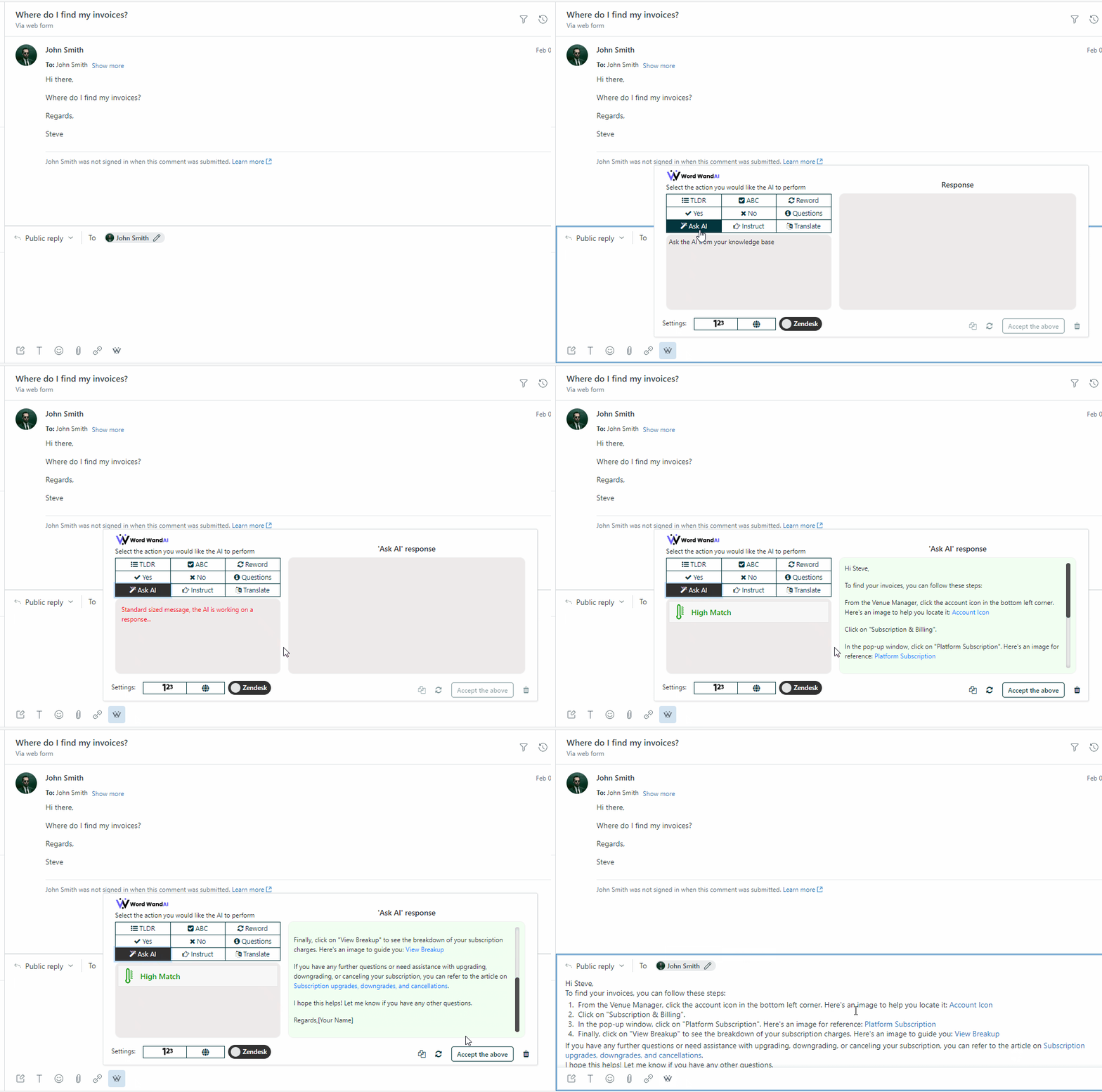
🎉Key features*
Word WandAI offers a full toolkit of powerful generative AI features with several settings so your agents can guide the response to meet their needs (eg. adjust language, text limit and/or tone).
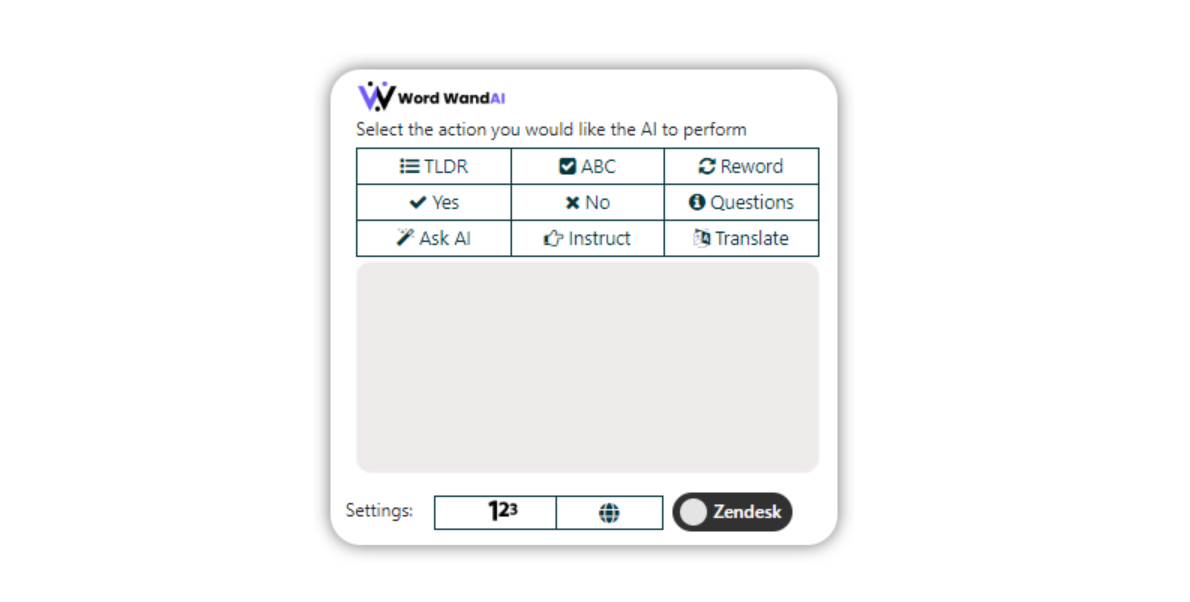
- TLDR - Analyze the customer's message and provide a Too Long; Didn't Read summary.
- ABC - Fix any Grammar or Spelling mistakes
- Reword - Improves the message written by the agent and factors in adjustable sentiment and tone to make the reply highly personalized.
- Yes - Crafts a personalized response to the customer’s message while incorporating the overall outcome as a “Yes”.
- No - Crafts a personalized response to the customer’s message while incorporating the overall outcome as a “No”.
- Questions - Analyzes the customer's mn- Ask AI - Craft a personalized response based on the information in your Zendesk Help Center.
- Instruct - (Most powerful feature with endless usercases!), and crafts a personalized response that incorporates both aspects. Can be used with existing Macro templates.
- Translate - Analyze the customer's or agent’s message and translate it into a different language.
- 123 - Text Limit Setting -Adjust the text length of the response from the AI.n- World - Language Settings - Adjust the language that the AI will use with its response.
- Zendesk - Message Source Setting - Adjust the source of the customer message - from Zendesk or 💳 How much does this cost?
Start with a free trial for 7 days.Our Growth plan starts around the same price as ChatGPT Plus.
✅Get started by clicking 'install'
Learn more at www.wordwandai.com and feel free to reach out to us with any questions via contact@wordwandai.com
Detalhes do aplicativo
Como instalar
If you have issues installing the app please contact us at contact@wordwandai.com
To install the Word WandAI, please follow the below instructions.
Click “Install” in the top-right corner of this screen.
Enable the OAuth Authentication (if prompted) and install the application
Leave the Admin Center and go into Zendesk Support
Complete a hard refresh of your web browser (CTRL+SHIFT+R) and log out/in of your Zendesk account
After installation, the Word WandAI icon will be available in the ticket and chat views for agents
To use Word Wand AI, please follow the below instructions.
Open a ticket you want to answer
Click on the small Word WandAI icon in the bottom bar of the rich text editor
A popup will appear. Click on the function you wish to perform.
Wait 2-5 seconds and the AI-generated message will appear.
Tip: If you want to enhance the AI’s response when using the Reword function, adjust the sentiment and tone conditions, and then click Reword My Reply.
Deixe uma avaliação
Compartilhe sua experiência com o resto da comunidade Zendesk