Linear by Git-Zen
Create Linear issues from Zendesk, sync comments both ways, and keep support and engineering aligned. No Linear account needed for agents. Free trial included.
Total de instalações
Less than 5
Funciona com
Support
Developer
Git-Zen
Sobre este aplicativo
Linear by Git-Zen
Your engineering team moves fast in Linear. Your support team handles customers in Zendesk. Without a direct connection, updates get lost and the same bugs get reported twice.
Git-Zen links both tools so every ticket escalation is immediate, every status update is visible, and neither team needs to leave the tool they work in.
How It Works
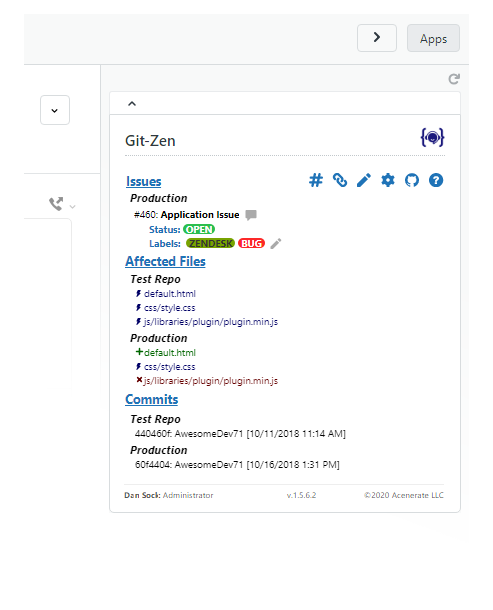
From a Zendesk ticket, agents can:* Create a new Linear issue in one click, with team, project, cycle, priority, labels, and assignee set from Zendesk* Link an existing Linear issue to the ticket* See all Linear updates and comments appear automatically in the ticket timeline
From Linear, your engineering team can:* Reference a Zendesk ticket number in any Linear issue comment. It links to the ticket automatically* Leave Linear comments that flow into Zendesk as public or private notes
No Linear account needed for support agents. No Zendesk access needed for your engineering team.
Key Features
- Create Linear issues from Zendesk: Team, project, cycle, priority, labels, and assignee set at creation time
- Two-way comment sync: Linear comments appear in Zendesk; ticket comments post to Linear
- Cycle and project support: Assign issues to active sprints and projects directly from Zendesk
- Multiple issues per ticket: Link as many Linear issues as needed to one ticket
- Auto-tagging: Zendesk tickets are automatically tagged when linked or when issues are completed
- Role-based permissions: Control which agents can create or modify Linear issues
- Simple per-agent pricing: $4 per Zendesk agent, per month. Unlimited tickets and integrations. Free trial included.
Works with Linear.
Security
Git-Zen does not store your Zendesk or Linear data. Only configuration settings are held on Git-Zen servers. Authentication uses OAuth 2.0.
For more information, visit https://www.git-zen.com
Detalhes do aplicativo
Como instalar
Setting Up Linear by Git-Zen
1. Install the App
- Open any Zendesk ticket and click the Apps sidebar.
Authorize Zendesk
Authorize Linear
Configure your organization settings
You're all set!
Deixe uma avaliação
Compartilhe sua experiência com o resto da comunidade Zendesk
Planos e preços
Default Plan
Free 14-day trial, then $99.00 per month
This is the default plan all existing apps have. You can change the description and name of this plan, or create new ones.
Avaliação gratuitaGit-Zen
Free 14-day trial, then $4.00 per agent, per month
Two-way sync between Zendesk and your engineering and product map tool. Create issues from tickets, reference tickets from commits with gz#12345, and get automatic updates when work closes.
Avaliação gratuita