IBAM Enhanced Messaging Widget
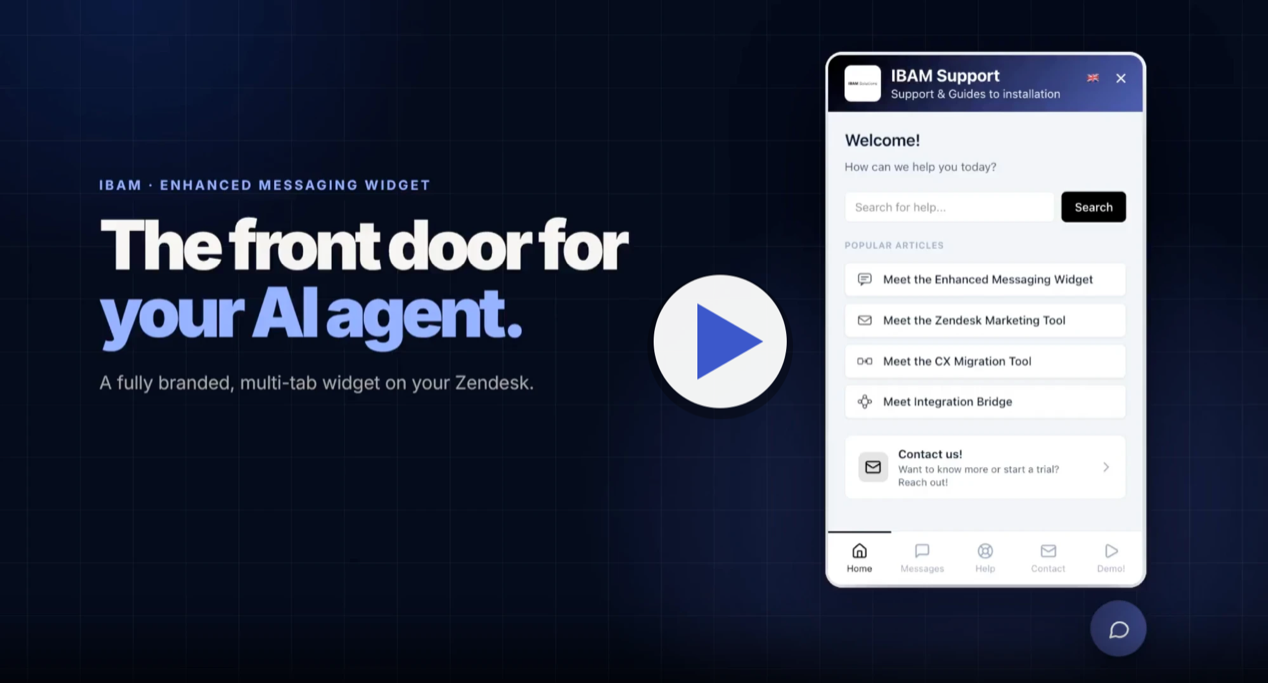
A branded, multi-tab Zendesk widget with Help Center search and messaging
Total de instalações
5+
Funciona com
Support
Developer
IBAM Solutions AB
Sobre este aplicativo
A better Zendesk widget, for support and growth
The Enhanced Messaging Widget does not replace Zendesk Messaging. It embeds it. Your conversations still run on Zendesk Messaging, and the widget adds Help Center search and articles, a contact form and your own content around it, in one fully branded, multi-tab widget on your website. The widget can show different content on different pages.
Same Zendesk underneath. More functionality on top.
Key features
- Multi-tab widget: Home, Help, Messages and Contact, plus custom tabs (Pro and Enterprise, up to 5 per widget)
- Themes and branding: colors, logo, launcher and 6 built-in widget styles, with light, dark or automatic color mode. Need something fully custom? We can build a custom version for you, contact us.
- Zendesk Messaging inside the widget: the Messages tab embeds your existing Zendesk Messaging
- Help Center search and articles, shown inside the widget
- Multi-language widget text: translate all widget text with AI translation, available on every plan (daily usage limit applies)
- Custom tabs with a block builder: headers, text, images, video, buttons and spacers (Pro and Enterprise)
- Page Rules: show different content, tabs and popups per URL (Pro: up to 5 rules, Enterprise: higher limit)
- Analytics dashboard: opens, tab switches, article views and clicks (Enterprise)
- Multiple widgets per account: 1 on Starter, up to 3 on Pro, up to 10 on Enterprise, each with its own branding, translations and embed code
Who it is for
Support teams use it to help customers find answers in the Help Center before they open a conversation, which lowers ticket volume.
Marketing and growth teams use it to show URL-specific popups, articles and videos, so the support widget can also guide visitors on the pages that matter.
Pricing
Free to install, with a 14-day free trial that starts when you install the app. No card is needed to start. After the trial you choose a plan inside the app. Pricing is per agent, billed monthly or yearly:
- Starter: $10 per agent per month. 1 widget, branding, Help Center, contact form
- Pro: $15 per agent per month. Up to 3 widgets, separate branding per widget, custom tabs, Page Rules
- Enterprise: $25 per agent per month. Up to 10 widgets, more Page Rules, analytics, deep links
Yearly billing is also available. Current prices: https://ibamsolutions.com/apps/ibam-enhanced-messaging-widget#pricing
Data disclosure and security
The app processes only the data needed to run the widget configuration and the widget itself:
Zendesk account metadata used to identify the account (subdomain and installation)
Widget configuration entered by admins
Embed token status and lifecycle metadata
Billing status for your subscription (payments are handled by Stripe, we do not store card numbers)
We do not sell customer data. Data is scoped per account with tenant isolation and authenticated API access. Access to stored data is limited to authorized systems and personnel for support and operations.
See our Privacy Policy, Terms of Use and Data Processing Addendum. Privacy or security questions: info@ibamsolutions.com.
About IBAM Solutions AB
IBAM Solutions AB builds practical customer support and growth tooling for teams running on Zendesk.
Detalhes do aplicativo
Como instalar
In Zendesk Admin Center, open Apps and integrations, then Marketplace.
Search for "IBAM Enhanced Messaging Widget" and click Install.
Choose the account where you want to install the app. No settings need to be entered.
Open the app from the Zendesk navigation bar. Your 14-day free trial starts on install.
Follow the setup guide: connect your Help Center, set branding and choose your tabs.
- Open the Embed tab, copy the widget snippet and paste it on your website just before the closing
</body>tag. Test the widget on your site to confirm Help Center content and Messaging work.
Before the trial ends, choose a plan in the app under Your plan.
Setup takes about 15 minutes. Help: https://ibamsolutions.com/apps or info@ibamsolutions.com.
Deixe uma avaliação
Compartilhe sua experiência com o resto da comunidade Zendesk
Planos e preços
Free trial
Never pay a thing
Free to install. Start your 14-day free trial instantly, no card needed. Branded multi-tab widget with Help Center search, Zendesk Messaging and page-specific content, set up in minutes.
InstalarStarter
Free 14-day trial, then $10.00 per agent, per month
Starter plan includes:
1 custom widget
Custom colors, logo, and branding
Welcome page with search and articles
Integrated help center
Contact form
Multi-language support
Pro
Free 14-day trial, then $15.00 per agent, per month
Pro plan includes:
Up to 3 custom widgets
Unique branding per widget
Separate translations per widget
Individual embed codes
Welcome page with search and articles
Integrated help center
Contact form
Multi-language support
Enterprise
Free 14-day trial, then $25.00 per agent, per month
Enterprise plan includes:
Up to 5 custom widgets
URL setup per widget
Custom branding per widget
Separate translations per widget
Individual embed codes
Welcome page with search and articles
Integrated help center
Contact form
Multi-language support