WordPress Ticket Systems
Keep your customers and employees happy with a ticketing system that integrates seamlessly with your WordPress site.



Mozhdeh Rastegar-Panah
Senior Director, Product Marketing
Última atualização em May 29, 2026
What are WordPress ticket systems?
WordPress ticket systems are plugins or integrations that allow businesses to handle support requests directly from their WordPress website. With a WordPress ticket system, companies using WordPress can create admin tickets, let customers and employees create their own tickets from a form, and direct emails into the ticketing system. The best WordPress ticket systems allow businesses to turn a blog comment into a ticket at a click of a button. They also include ticketing from other channels like chat and social media, fostering an omnichannel experience with robust customer service tools.
WordPress ticket systems for customer and employee service
Whether you run an eCommerce shop or maintain a monthly blog, you need a way to organize questions and issues that come up. That’s why it’s important to find the right ticket service that works with your WordPress website. In this article, we’ll explain what a WordPress ticket system is and what to look for when choosing one. We’ll also cover a few of the best plugins out there for ticketing today.
More in this guide:
- Benefits of a seamless WordPress ticketing system
- WordPress ticket systems comparison chart
- 10 best WordPress support ticket system solutions
- What to look for in the best WordPress customer support ticket system
- Frequently asked questions
- Free trial of Zendesk for WordPress
Benefits of a seamless WordPress ticketing system
A WordPress ticketing system works through plugins or integrations, making it part of your site’s architecture. This means your agents can sign in to your WordPress dashboard and manage tickets in one place without having to log in to another site. With faster resolutions, your audience stays happier, boosting CSAT and retention.
With a ticket system designed for WordPress, if someone raises a question or an issue as a blog comment, the system automatically transforms it into a ticket without requiring the user to submit a separate form. This makes things easier for the reader and your team, enhances productivity, and provides a smoother overall experience. By using comprehensive customer service management software, businesses can ensure no interaction falls through the cracks.
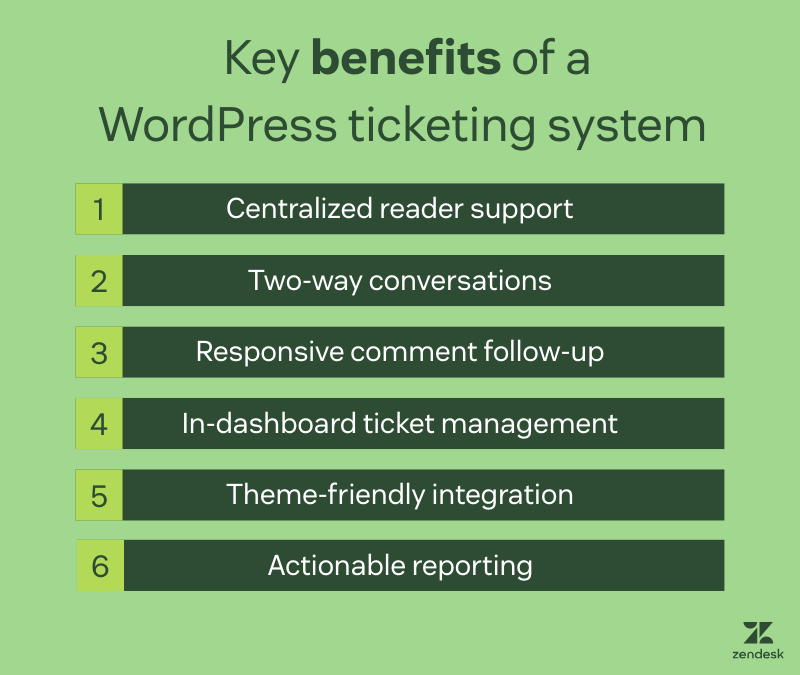
Other key benefits of having a ticketing system for WordPress include:
- Centralized reader support: Manage questions and issues from blog readers in one place.
- Two-way conversations: Create an interactive dialogue with readers to resolve requests faster.
- Responsive comment follow-up: Make it easier for users to reply to reader comments and deliver top-notch customer support.
- In-dashboard ticket management: Manage tickets directly inside the WordPress dashboard.
- Theme-friendly integration: Plugins integrate smoothly with whichever WordPress theme you’re using.
- Actionable reporting: Reporting features provide insights into your audience and customers.
WordPress ticket systems comparison chart
Some WordPress ticket systems focus on simple ticket intake via a plugin, while others prioritize automation, reporting, and omnichannel support. Use the comparison below to quickly evaluate which option fits your team size, workflow complexity, and budget.
|
Software |
Best for |
Starting price |
Free trial |
|
Zendesk |
AI-powered, omnichannel resolutions |
$55 per agent/month (billed annually) |
14 days |
|
LiveAgent |
Straightforward WordPress ticket intake |
$15 per agent/month |
30 days |
|
Awesome Support |
Small businesses needing a customizable WordPress help desk |
$149 per year |
Not available |
|
Help Scout |
Email-like experience within WordPress |
$25 per agent/month |
15 days |
|
WordPress Advanced Ticket System (WATS) |
Small businesses looking for a native WordPress plugin |
Not available |
Not available |
|
HeroThemes |
Support within WordPress without per-user fees |
$67.60 (billed annually) |
Not available |
|
SupportCandy |
WordPress-native ticketing with configurable workflows |
$59.25 per agent (billed annually) |
Not available |
|
JS Help Desk |
Ticket workflow organization directly from WordPress environment |
$69 for a single site (billed annually) |
Available |
|
KB Support |
Publishing self-service help content |
$4.99 per month |
Not available |
|
Fluent Support |
WordPress sites running e-commerce or online courses |
$103 per domain (billed annually) |
14 days |
10 best WordPress support ticket system solutions
Some WordPress support ticket systems are native plugins that keep everything inside your dashboard, while others connect WordPress to a dedicated help desk built for omnichannel support. The best option depends on your volume, channels (email, chat, social), and whether you want AI and automation or a lightweight setup. Below are 10 strong options, with quick jump-to links to help you find the best fit.
- Zendesk: Best for AI-powered, omnichannel resolutions
- LiveAgent: Best for straightforward WordPress ticket intake
- Awesome Support: Best for small businesses needing a customizable WordPress help desk
- Help Scout: Best for email-like experience within WordPress
- WordPress Advanced Ticket System (WATS): Best for small businesses looking for a native WordPress plugin
- HeroThemes: Best for support within WordPress without per-user fees
- SupportCandy: Best for WordPress-native ticketing with configurable workflows
- JS Help Desk: Best for ticket workflow organization directly from WordPress environment
- KB Support: Best for publishing self-service help content
- Fluent Support: Best for WordPress sites running e-commerce or online courses
1. Zendesk
Best for AI-powered, omnichannel resolutions
|
Starting price |
Free trial |
Key features |
|
$19 per agent/month billed annually Explore more Zendesk pricing plans. |
14 days |
|
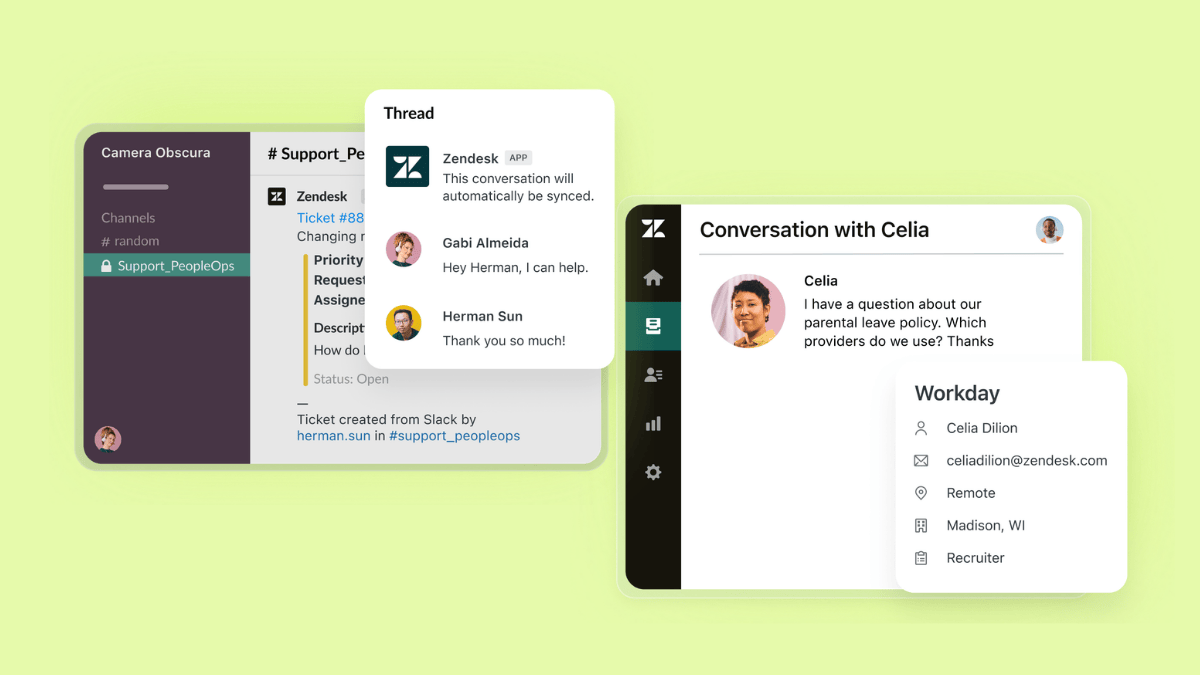
If your website runs on WordPress but your support needs more than a basic plugin, Zendesk is a strong fit. This dedicated, AI-powered ticketing platform helps you manage customer and employee requests across channels in one place. This way, you can keep WordPress as your storefront while Zendesk runs the support operation behind the scenes.
Unifying conversations from email, messaging, phone, social, and more, Zendesk makes it easier for support teams to keep context and respond fast as volumes grow. With WordPress integration options, you can route questions from your site into Zendesk, then use automations, workflows, and reporting to keep service consistent and scalable. If your team focuses on technical uptime, Zendesk also offers specialized incident management software to track and resolve internal service disruptions quickly.
Zendesk AI agents do the heavy lifting and autonomously handle common requests, while handing off the conversation to human agents when needed. The platform is also built to connect with the rest of your stack through Zendesk Marketplace, a large ecosystem of pre-built apps and integrations, plus APIs if you need something custom.
Easy to deploy, with a fast setup and predictable pricing, Zendesk is the best for AI-powered, omnichannel resolutions for growing WordPress sites that need professional-grade ticketing, consistent workflows, and clear reporting.
|
Pros |
Cons |
|
|
What people are saying:
- “What I like most is how easy it is to start using. I did not need any technical setup to begin. I was able to create tickets, reply to patients, and track follow-ups in one place from the first day.”—Verified user, G2 Review.
- “When many tickets are coming in from email, chat, or web forms, Zendesk keeps everything organized in one place; nothing gets lost, and every conversation has a clear history.”—Verified user, G2 Review.
- “I also appreciate the automation features and macros, which save us a lot of time when handling repetitive tasks or responding to common queries.”—Verified user, G2 Review.
2. LiveAgent
Best for straightforward WordPress ticket intake
|
Starting price |
Free trial |
Key features |
|
$15 per agent/month |
30 days |
|
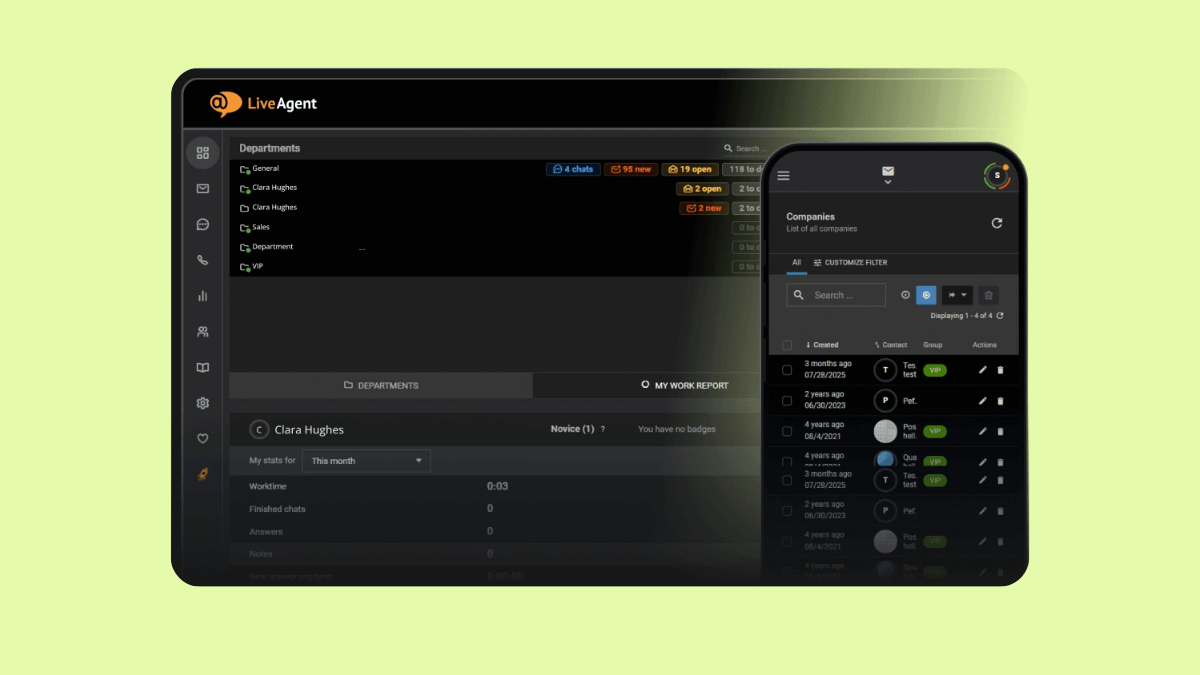
LiveAgent offers a WordPress plugin that helps capture and manage support requests from your site. Its universal inbox consolidates tickets from multiple channels, including WordPress blog comments and forum posts, so agents can respond from one place. The plugin also makes it easy to embed a live chat button on any WordPress page without coding, and can automatically create customer accounts when new users register on your site.
Reviews often highlight a clean interface, though advanced rules can take time to learn. Overall, LiveAgent suits small to mid-sized businesses that need straightforward WordPress ticket intake and basic chat.
|
Pros |
Cons |
|
|
What people are saying:
- “What I like most about LiveAgent is its ease of use. The ability to categorize tickets by support department or project made it easy to quickly identify and route tasks to the appropriate party.”—Verified user, G2 Review.
- “LiveAgent's functionality requires multiple levels of customization, some of which are difficult and require the support of their team to implement correctly.”—Verified user, G2 Review.
- “The setup can be a little confusing to create forwarding and automations.”—Verified user, G2 Review.
Learn more: Discover how Zendesk vs. LiveAgent compare.
3. Awesome Support
Best for straightforward WordPress ticket intake
|
Starting price |
Free trial |
Key features |
|
$149 per year |
Not available |
|
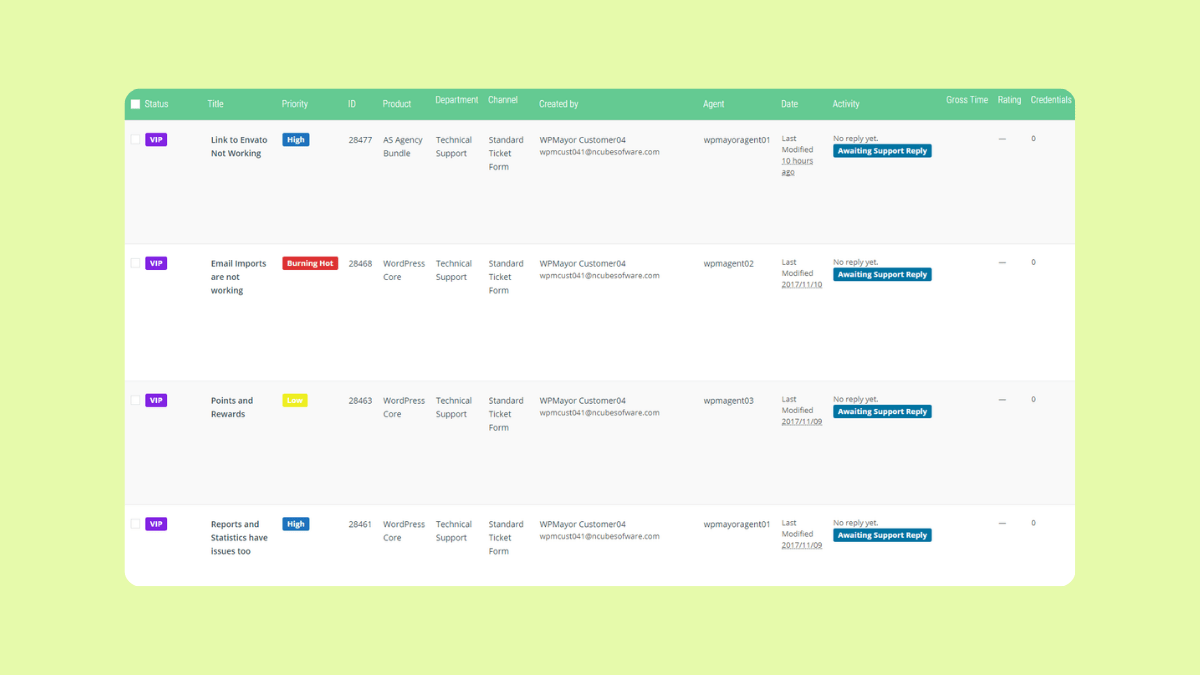
Awesome Support is a versatile customer support ticketing system designed specifically for WordPress. Its free version allows for unlimited tickets, agents, users, products, and departments, making it an ideal entry point for businesses that need a simple support base. For organizations looking to expand their capabilities, the plugin offers advanced features through its premium plans.
The software is customizable, allowing users to tailor settings to their specific organizational workflows. One of Awesome Support's helpful features for WordPress users is the integration with Google’s Dialogflow AI, which enables the creation of custom chatbot conversations to handle routine inquiries. Users report the platform has lots of functionalities in its free version, but delivers a poor customer service experience. Awesome Support is best for small businesses needing a customizable, all-in-one WordPress help desk.
|
Pros |
Cons |
|
|
What people are saying:
- “The free version has quite a lot of functionality.”—Verified user, WordPress forum.
- “Technical support is very slow in responses that are often ineffective.”—Verified user, WordPress forum.
- “The plugin is slowing down WP admin”—Verified user, WordPress forum.
4. Help Scout
Best for email-like experience within WordPress
|
Starting price |
Free trial |
Key features |
|
$25 per agent/month |
15 days |
|
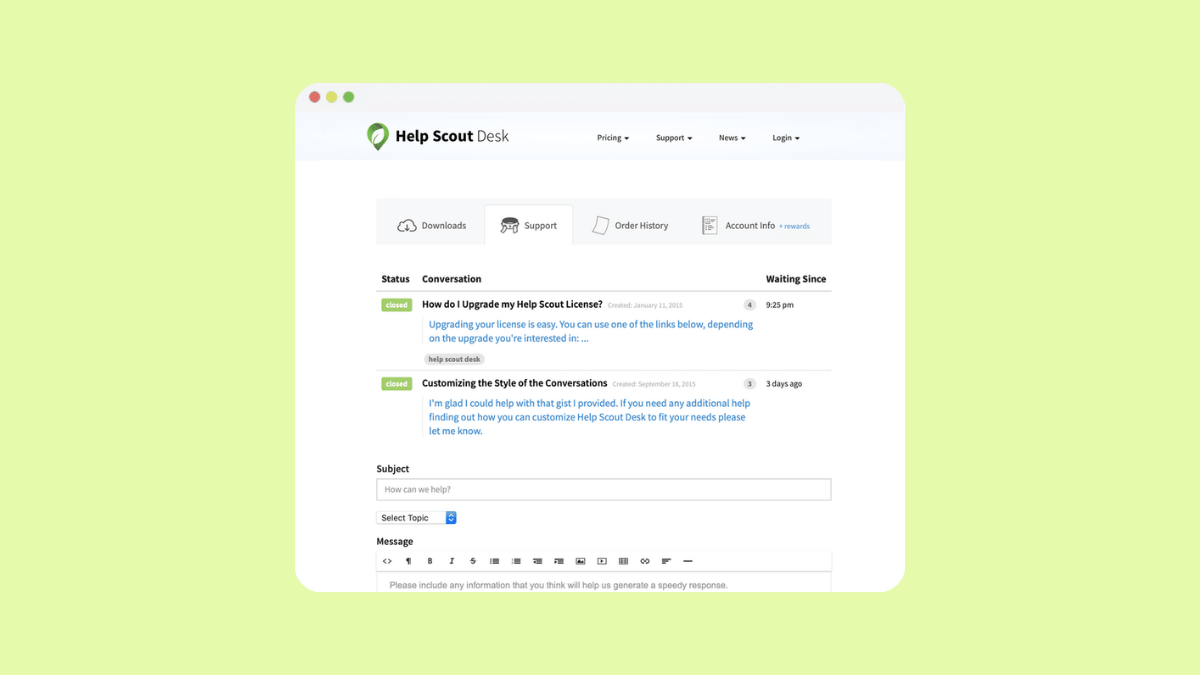
Help Scout is an email-based ticketing system that brings professional support tools directly to your WordPress site. The platform is centered around a shared inbox, allowing teams to manage tickets, collaborate via private notes, and use automation to streamline workflows. This makes Help Scout best for small to mid-sized businesses looking for a simple, email-like experience within WordPress.
The platform's WordPress integration features a Beacon widget for instant access to live chat and a searchable knowledge base, helping customers find answers through self-service. Other key WordPress features include real-time collision detection to prevent duplicate replies and seamless customer profile syncing for more personalized support. It's worth mentioning that users praise Help Scout for its clean interface and ease of use. However, some note that reporting can be limited compared to larger platforms.
|
Pros |
Cons |
|
|
What people are saying:
- “What I like best about Help Scout is its clean, intuitive interface and the way it keeps customer conversations personal and organized.”—Verified user, G2 Review.
- “What I dislike about Help Scout is that some advanced features and reporting options are limited unless you move to higher plans.”—Verified user, G2 Review.
- “Reporting can feel a bit limited at times, and more customization options for workflows would be helpful.”—Verified user, G2 Review.
Learn more: Discover how Zendesk vs. Help Scout compare.
5. WordPress Advanced Ticket System (WATS)
Best for email-like experience within WordPress
|
Starting price |
Free trial |
Key features |
|
Free |
Not available |
|
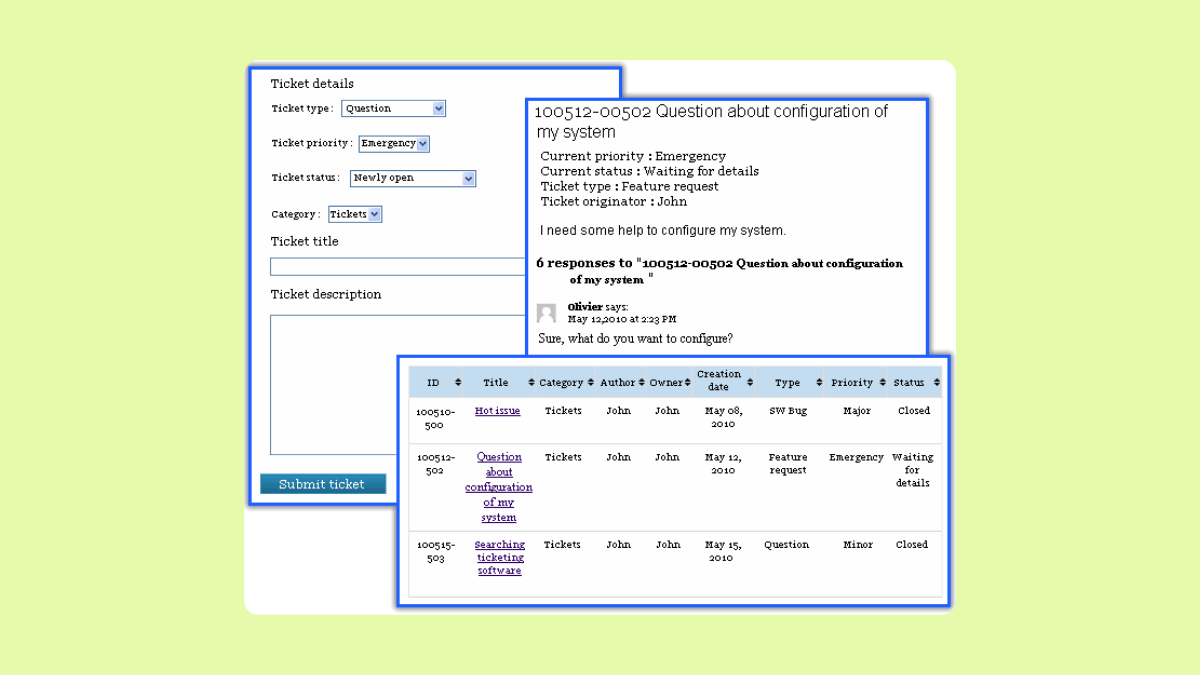
WordPress Advanced Ticket System (WATS) is a WordPress-native plugin built directly on the WordPress core. It uses the site’s default single post template to display tickets, ensuring the plugin won’t slow your site down. It allows you to manage support directly from the dashboard with features like ticket ID numbering, unlimited custom fields, and ticket assignment to specific team members. WATS supports ticket submissions through frontend forms, the WordPress admin side, or email piping for seamless communication.
WordPress Advanced Ticket System is optimal for small organizations needing a simple help desk that stays entirely within their WordPress environment. This makes it best for those looking for a native WordPress plugin. It's important to mention that, although it's free, WordPress Advanced Ticket System's capabilities are very limited.
|
Pros |
Cons |
|
|
6. HeroThemes
Best for support within WordPress without per-user fees

|
Starting price |
Free trial |
Key features |
|
$67.60 (billed annually) |
Not available |
|
HeroThemes offers a suite of WordPress plugins designed to manage customer support directly from your website. It provides a unified inbox that centralizes communications from multiple channels, including email and social media, into a single workspace. Its key features include team collaboration tools like internal notes and ticket assignments, as well as collision detection to prevent duplicate replies. The system also supports saved replies, automated responses, searchable knowledge base integration, and a Beacon widget for instant access to help articles.
Differing from many ticket system platforms, HeroThemes pricing plans charge per year instead of per user. This makes the software best for growing businesses and e-commerce stores looking to manage support within WordPress without per-user fees.
|
Pros |
Cons |
|
|
7. SupportCandy
Best for WordPress-native ticketing with configurable workflows
|
Starting price |
Free trial |
Key features |
|
$59.25 per agent (billed annually) |
Not available |
|
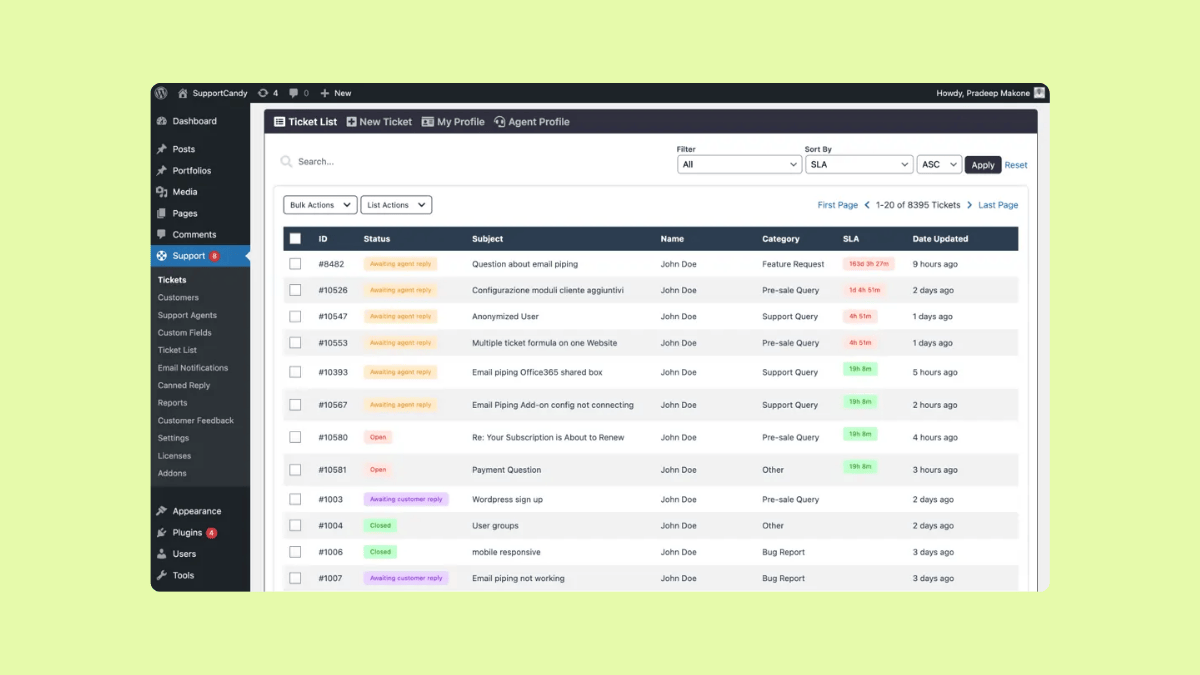
SupportCandy is a WordPress help desk plugin that lets you build a dedicated support portal using shortcodes. It has options like user login or registration, OTP-based access, guest tickets, a new ticket form, and a ticket list on your site. It also supports email-to-ticket via email piping and spam controls for repeated messages.
For growing teams, its standout strengths are workflow automation, SLA policies, reporting, and knowledge base integrations with popular WordPress KB plugins. It’s best for WordPress-first businesses that want a site-native ticketing portal with configurable workflows and performance reporting. Still, it's worth noting that a free trial and the merge tickets functionality are missing.
|
Pros |
Cons |
|
|
What people are saying:
- “The Service Desk Plugin has been easy to deploy with clear instructions.”—Verified user, WordPress forum.
- “[...] the ability to merge tickets is missing.”—Verified user, WordPress forum.
8. JS Help Desk
Best for ticket workflow organization directly from WordPress environment
|
Starting price |
Free trial |
Key features |
|
$69 for a single site (billed annually) |
Available |
|
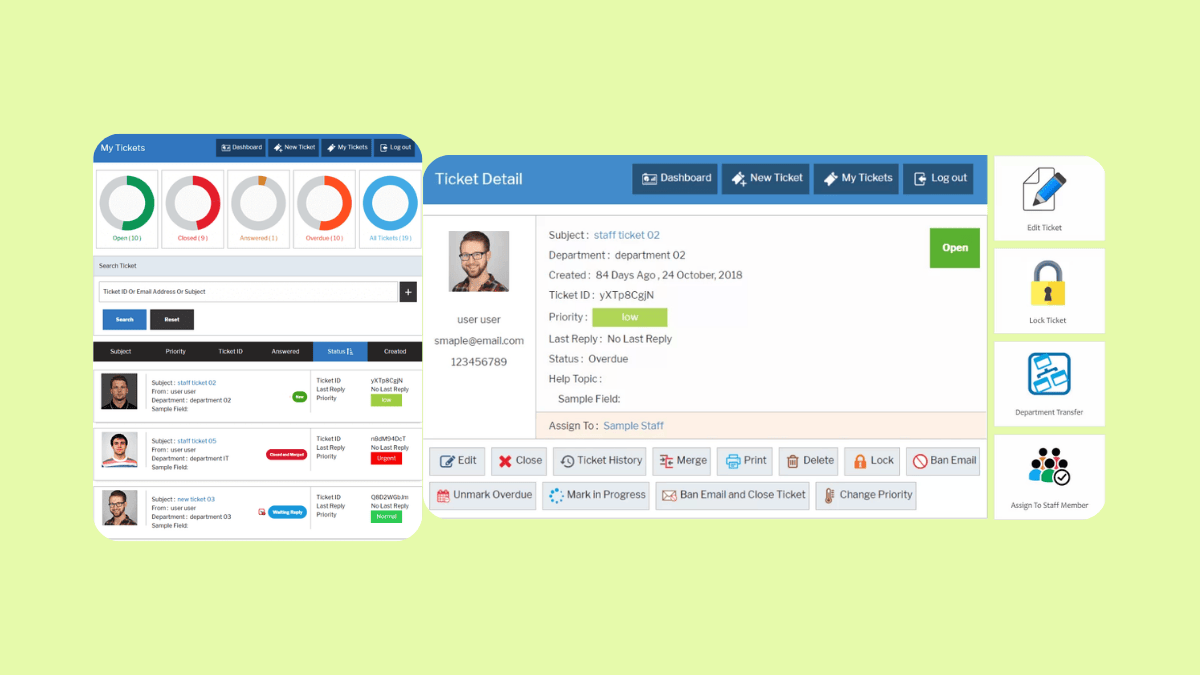
JS Help Desk is a WordPress help desk plugin built around an in-dashboard ticket workspace. It provides strong ticket organization: configurable ticket views, fast filtering, and search by fields. It also supports front-end ticket submission, plus WordPress-friendly configuration like departments and custom fields to match how your site collects requests. For WordPress teams that want email-based support, its email piping add-on lets customers create and reply to tickets directly via email, automatically appending responses to the ticket thread. A knowledge base add-on is also available for self-service content.
Offering workflow automation that fosters faster and better support, JS Help Desk is a fit for sites where agents need a single help desk interface while managing customer interactions. This makes it best for WordPress-first small businesses that want a more organized ticket workflow directly inside WordPress. It's worth mentioning that although JS Help Desk offers a strong ticket organization, users report that the interface is overwhelming.
|
Pros |
Cons |
|
|
9. KB Support
Best for publishing self-service help content
|
Starting price |
Free trial |
Key features |
|
$4.99 per month |
Not available |
|
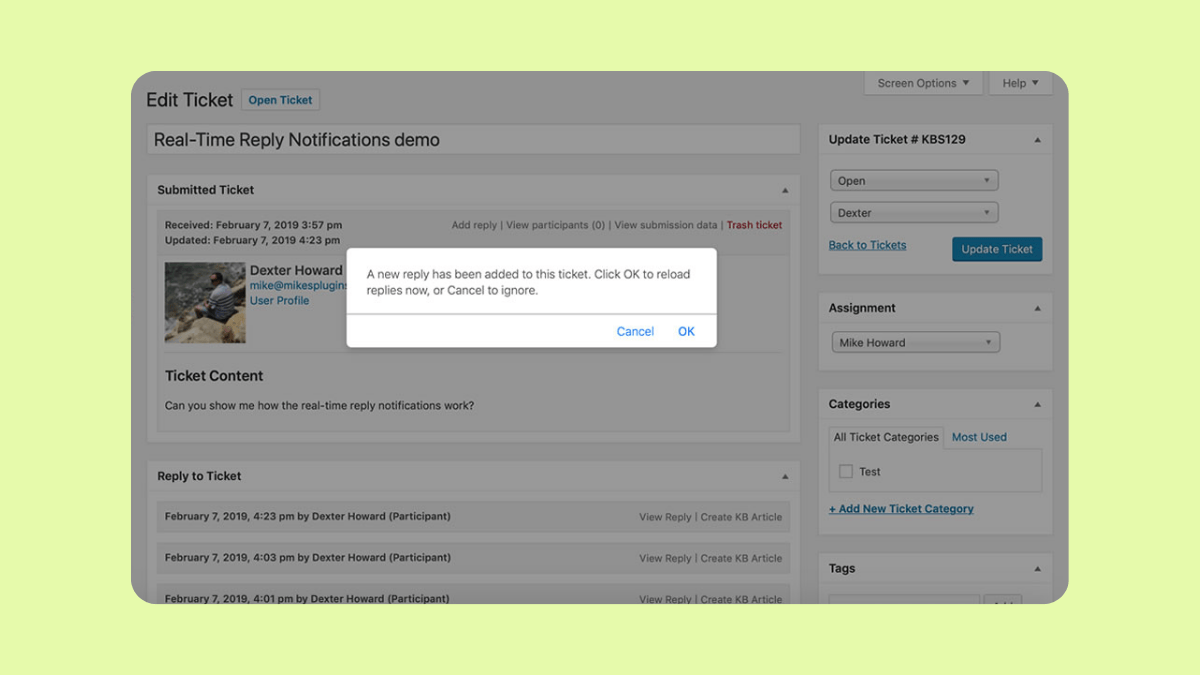
KB Support is an all-in-one WordPress help desk plugin that combines on-site ticketing with a built-in knowledge base. It lets you customize ticket submission forms with custom fields and includes extensions for canned replies, ticket automation, and integrations. The plugin is also designed for controlled access: you can restrict individual knowledge base articles to logged-in users and control which tickets agents can view based on roles, assignments, and departments.
All this makes KB Support best for WordPress site owners who want a single, site-native place to manage tickets and publish self-service help content. Unfortunately, although KB Support offers competitive pricing, there isn't a free trial available.
|
Pros |
Cons |
|
|
10. Fluent Support
Best for WordPress sites running e-commerce or online courses
|
Starting price |
Free trial |
Key features |
|
$103 per domain (billed annually) |
14 days |
|
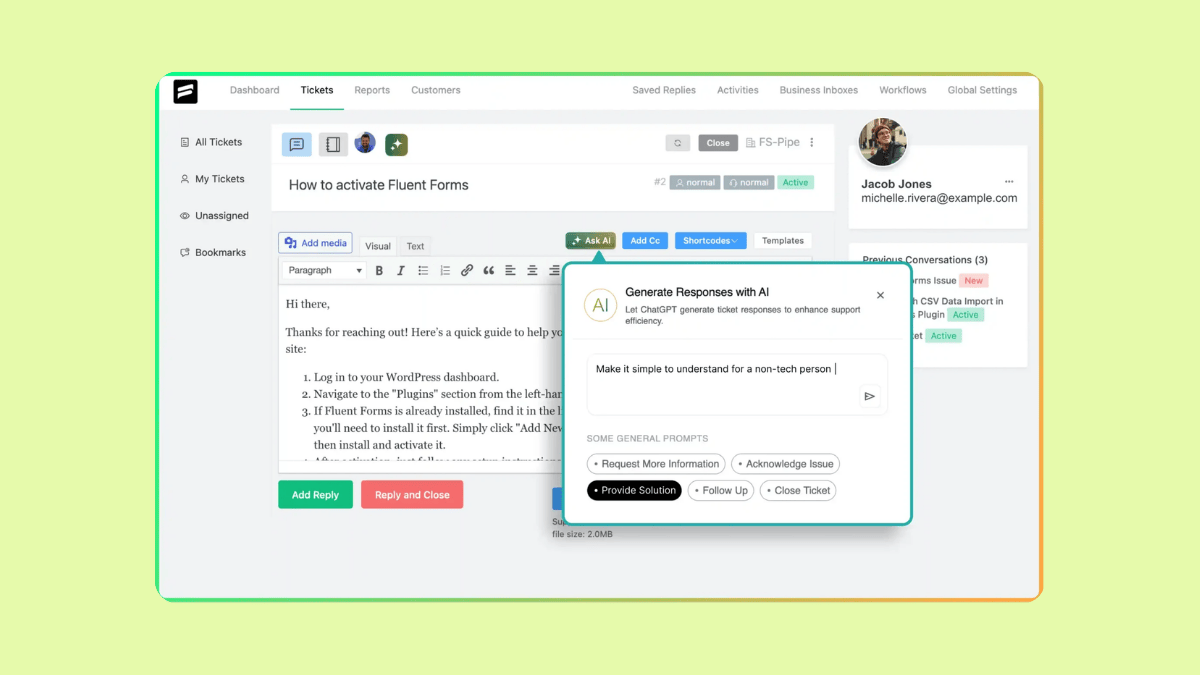
Fluent Support is a WordPress helpdesk plugin that supports workflows and automations to reduce repetitive work. Offering saved replies for faster responses, it includes customer profiles so agents can keep context as conversations continue. It also supports business inboxes and product-based ticket organization, which makes it best for WordPress sites running e-commerce or online courses.
Users of Fluent Support most often praise its overall ease of use, while the most common drawback mentioned is limited channel coverage, particularly the lack of live chat. Still, Fluent Support is a good solution for teams who want to handle customer inquiries through a dedicated support portal and email, while keeping ticket management organized.
|
Pros |
Cons |
|
|
What people are saying:
- “Overall, this plugin is a powerhouse for boosting team productivity and efficiency.”—Verified user, G2 Review.
- “The live chat feature is not available yet.”—Verified user, G2 Review.
- “I think they may introduce some strong omnichannel capabilities soon.”—Verified user, G2 Review.
What to look for in the best WordPress customer support ticket system
Here’s what to look for when choosing a WordPress customer support ticket system, especially if you want something that won’t break as you grow.
- Multi-channel intake: Prioritize a system that can pull requests from email, web forms, chat, messaging, social, and voice into one place. Zendesk’s ticketing approach consolidates email, messaging, phone, social, and more into one single place.
- Efficient agent workspace: Look for a workspace that offers a unified agent view with context and conversation history, internal notes, collaboration tools, and the ability to customize what agents see.
- Automation and routing: To avoid manual work, look for a tool with automation features like auto-assignment by topic, ticket escalation, and seamless handoff to human agents.
- Useful AI-powered tools: Consider platforms with AI agents that can resolve common questions and escalate when needed. An assistant like Copilot is also extremely helpful.
- Strong reporting capabilities: Make sure the tool easily tracks ticket volume, top contact reasons, first reply times, resolution times, backlog, and channel performance.
- Integrations: WordPress is just one part of your stack. Check for native integrations with CRM, e-commerce, messaging, and a setup that doesn't require custom code for basic workflows.
Frequently asked questions
Ready to try Zendesk for WordPress for free?
Customer satisfaction isn’t a given. You have to earn it. Use Zendesk’s WordPress integration to let your customers and employees know you care about them. Handle questions about your products right away, direct readers to your help center, and build a deeper relationship with your audience. Try Zendesk for free for 14 days and experience faster resolutions from day one.
Mozhdeh Rastegar-Panah
Senior Director, Product Marketing
Mozhdeh Rastegar-Panah is a seasoned customer experience leader and the Senior Director of Product Marketing at Zendesk. With over 12 years at the forefront of customer service innovation, Mozhdeh specializes in translating complex AI and CX technologies into impactful, scalable solutions for global businesses. Her work focuses on elevating customer support through messaging, automation, and omnichannel strategies. She brings a unique blend of strategic vision and hands-on expertise to the future of customer service.
We have more to say about WordPress systems
WordPress websites are designed to be lean and lightweight (our kind of website), plugins are ways of adding certain features to those websites. Zendesk WordPress ticket system plugin just might be what your business needs at the moment. Learn more.