15 best service desk software of 2026
Compare service desk systems by ticketing, AI, automation, self-service, analytics, pricing, and scalability to find the right fit for your team.



Justine Caroll
Director, Product Marketing
Última atualização em October 14, 2026
What is service desk software?
Service desk software is a centralized platform for managing service requests, incidents, questions, and workflows from customers, employees, and other stakeholders. Unlike shared inboxes or spreadsheets, a service desk system combines ticketing, omnichannel support, automation, knowledge management, self-service, analytics, and integrations to streamline operations and resolve issues faster. Businesses can use it for customer support, internal IT, employee service, or a combination of these functions.
How we evaluated the best service desk software
We evaluated service desk software based on publicly available product information, vendor documentation, verified user reviews, and point-by-point feature comparisons. Our evaluation focused on five areas:
- Core service management: Ticketing, omnichannel support, routing, incident and problem management, change management, and service request handling.
- AI and automation: AI capabilities, workflow orchestration, service level agreements (SLAs), escalations, approvals, and service catalogs.
- Knowledge and self-service: Knowledge management, self-service portals, and automated support options.
- Reporting and security: Analytics, quality assurance (QA), operational visibility, integrations, APIs, compliance, and governance.
- Usability and pricing: Ease of setup, administration, scalability, pricing, plan limitations, and free trial or demo availability.
More in this guide:
- Service desk software comparison chart
- The 15 best service desk software
- Features of service desk software
- Benefits of service desk software
- How to choose the right service desk solution
- Frequently asked questions
- Try service desk software for free
Service desk software comparison chart
Our service desk software comparison chart summarizes each vendor's starting price, key features, and free trials to help you pick the best fit for your business.
Software | Best for | Starting price | Free trial/demo | Key strengths |
Zendesk | AI-powered service across customer and employee support | $19/agent/month; Suite from $55 | 14-day free trial; demo | Omnichannel ticketing, AI agents, automation, knowledge, routing, analytics, integrations |
Help Scout | Cross-team collaboration | $25/user/month; free plan | 15-day free trial; demo | Shared inbox, internal collaboration, knowledge base, automation, reporting |
Jira Service Management | IT and development project tracking | $20/agent/month; free plan | Free plan; paid-plan trial | Incident and change management, approvals, developer integrations, automation |
Vision Helpdesk | Even ticket distribution | $12/agent/month | 30-day free trial; demo | Round-robin ticket assignment, automation, SLA management, reporting |
Salesforce Service Cloud | Enterprise-level CRM | $25/user/month; Core from $195 | Free trial; demo | CRM integration, case management, AI, omnichannel routing, analytics |
Hiver | Teams that live in Gmail | $25/user/month | 7-day free trial; demo | Gmail-based shared inbox, ticketing, automation, collaboration, analytics |
Freshservice | ITIL framework compliance | $19/agent/month | Free trial; demo | Incident, problem, and change management, IT asset management, service catalog |
SysAid | Asset management | $89/agent/month | Free trial; demo | IT asset management, AI assistance, incident management, automation, reporting |
ServiceNow IT Service Management | Large-scale enterprise IT operations | Contact vendor | Demo | Enterprise ITSM, workflow orchestration, incident and change management, governance |
Spiceworks | Small teams with limited budgets | Free | Free product; availability to confirm | Basic IT ticketing, request tracking, reporting, community resources |
GoTo Resolve (LogMeIn Resolve) | Remote support and troubleshooting | Contact vendor | Free signup; demo | Remote access, device management, troubleshooting, monitoring, endpoint automation |
SolarWinds Service Desk | Technical support teams with advanced reporting | $39/technician/month | 30-day free trial; demo | Incident management, service catalog, asset tracking, reporting, analytics |
HubSpot Service Hub | CRM integration | $7/seat/month; free tools | Free tools; demo | CRM-connected ticketing, automation, customer context, reporting |
HappyFox | Customizable ticketing workflows | $24/agent/month | 14-day free trial; demo | Ticketing, workflow automation, SLA management, knowledge base, reporting |
ManageEngine ServiceDesk Plus | Secure IT service management | From $13/technician/month | 30-day free trial; demo | ITSM workflows, asset management, service catalog, role-based access, reporting |
Prices are in USD and generally reflect annual billing where applicable. Starting prices don't necessarily include every listed feature. Advanced capabilities, AI usage, assets, and integrations may require higher-tier plans or add-ons.
The 15 best service desk software
Let's take a look at these IT service desk tools and compare features, starting prices, and more. Plus, find out how to try the best one for free.
- Zendesk: Best for AI-powered service across customer and employee support
- Help Scout: Best for cross-team collaboration
- Jira Service Management: Best for IT and dev project tracking
- Vision Helpdesk: Best for even ticket distribution
- Salesforce Service Cloud: Best for enterprise-level CRM
- Hiver: Best for teams that live on Gmail
- Freshservice: Best for ITIL framework compliance
- SysAid: Best for asset management
- ServiceNow IT Service Management: Best for large-scale enterprise IT operations
- Spiceworks: Best for small teams with limited budgets
- GoTo Resolve: Best for remote support and troubleshooting
- SolarWinds Service Desk: Best for technical support teams with advanced reporting
- HubSpot Service Hub: Best for CRM Integration
- HappyFox: Best for customizable ticketing workflows
- ManageEngine ServiceDesk Plus: Best for secure ITSM
1. Zendesk
Best for: AI-powered service across customer and employee support

Zendesk provides AI-powered service desk software that's fast to set up and easy to use, keeping costs low. It's flexible and extendable to both IT and customer service use cases.
Zendesk offers AI-powered service desk software that's easy to set up, flexible, and built to scale without adding complexity. Its unified platform supports both customer service and employee service, including IT support, HR requests, and cross-department workflows.
Zendesk AI is trained on billions of service interactions, so teams can start automating requests without extensive technical resources. Intelligent routing directs tickets to the right agents, while Zendesk Copilot surfaces relevant knowledge, suggests replies, and recommends next steps. Zendesk AI agents autonomously resolve common and complex requests, while Zendesk Knowledge delivers accurate answers through self-service.
The unified Zendesk Agent Workspace brings conversations from email, messaging, chat, and voice into one place. Agents can access customer or employee context, collaborate across teams, and resolve requests without switching between tools.
Built-in reporting and analytics provide visibility into ticket volumes, service performance, and operational trends. Security and governance controls protect sensitive information, while more than 1,800 apps and integrations in the Zendesk Marketplace connect existing systems and automate workflows across departments.
Features:
- Omnichannel support
- AI and automations
- AI agents
- Knowledge base and help center
- Reporting and analytics
- 360-degree customer view
- Security and privacy
- 1,700+ integrations
- Service catalog
- Industry-leading ticketing system
Pros | Cons |
|---|---|
|
What people are saying:
- “Zendesk streamlines support with flexible automation and clear reporting. It makes customer service smoother, more efficient and less chaotic for both agents and customers.” – Verified user, G2 review.
- “Zendesk is user-friendly and consolidates all customer requests in a single location. Its automation features, macros, and ticket management tools enable teams to respond more quickly and maintain organization.” – Verified user, G2 review
- “One of the biggest advantages [of Zendesk] is its multi-channel support, allowing us to manage emails, chats, and calls from one unified platform. The automation features, such as triggers and macros, help streamline repetitive workflows and boost efficiency.” – Verified user, G2 review
Pricing: Plans start at $19 per agent/month, billed annually. A 14-day free trial is available.
Explore more Zendesk pricing plans.
2. Help Scout
Best for: Cross-team collaboration

Help Scout is a service desk software solution used by IT and customer support teams. Help Scout's features include multichannel support, allowing businesses to handle customer inquiries from different channels within the shared inbox for better cross-team collaboration. Users can also create prewritten responses for commonly asked questions to help agents respond to inquiries.
This service desk tool enables businesses to build and manage a knowledge base so customers can find solutions independently. Service desk tools like notes, mentions, and chat support communication among agents. Reporting and analytics tools assist in tracking metrics such as response times and resolution times.
Features:
- Omnichannel support
- AI and automations
- Security and privacy
- Shared inbox
- Service catalog
- Live chat software
- Agent collision detection
Pros | Cons |
|---|---|
What users are saying:
- “Clear and intuitive platform for managing multiple inboxes within the team.”
- “There are always annoying and frustrating aspects around spacing, numbering, and bulleted lists in Help Scout docs.”
- “Helpscout is not the most extensive product. It feels like some reports are limited in the drill-down capacities.”
Pricing: Paid plans start at $25/user/month, billed annually. A free plan and a 15-day free trial are available.
Learn more: Discover how Zendesk and Help Scout compare.
3. Jira Service Management
Best for: IT and dev project tracking

Jira Service Management is Atlassian's cloud-based IT service desk software designed for project and service management in dev, IT, and other internal support teams. Features include conversational ticketing, automation, self-service, incident management, and native knowledge base integrations. However, a Confluence subscription is required to access the knowledge base integration.
More of Jira's IT service management tools include customizable issue types and workflows and automation of tasks like ticket routing and escalations based on set SLAs. Jira Service Management offers agent collaboration tools, reporting and analytics, and third-party integrations. It also leverages Jira's security infrastructure for data protection.
Features:
- Omnichannel support
- AI and automations
- Security and privacy
- Service catalog
- Shared inbox
- APIs and SDKs
- Post-incident analysis
Pros | Cons |
|---|---|
What users are saying:
Pricing: Paid plans start at $20 per agent/month. A free plan is also available.
Learn more: Discover how Zendesk and Jira compare.
4. Vision Helpdesk
Best for: Even ticket distribution

Vision Helpdesk's cloud-based service desk software allows service agents to plan, structure, and handle customer and IT support. The system is designed to automate service desk functions, including change, security, and service-level management. It also allows teams to automate ticket handling based on rule-based criteria.
The service desk software organizes tickets in a tree structure, enabling users to create custom views tailored to agent preferences. Vision Helpdesk users can set rules to manage different aspects of the service desk lifecycle. Businesses can also automate escalation rules to initiate specific actions, such as notifying managers or adjusting ticket priority. Ticket assignments can be automated using a round-robin method to distribute the workload among support agents evenly.
Features:
- Omnichannel support
- Security and privacy
- Service catalog
- Ticket management
- Asset management
- Shared inbox
- Alerts and notifications
Pros | Cons |
|---|---|
What users are saying:
Pricing: Plans start at $12 per agent/month, billed annually. A 30-day free trial is available.
5. Salesforce Service Cloud
Best for: Enterprise-level CRM

Salesforce Service Cloud is a service desk solution on the Salesforce CRM platform, focusing on IT support and customer service. Agents manage customer requests from various channels—such as phone, email, and social media—in a centralized workspace. The service desk uses Einstein, Salesforce's AI platform, to help Salesforce Service Cloud with case routing, sentiment analysis, and knowledge base suggestions.
However, new Salesforce users may find the service desk challenging to learn. Additionally, customizing workflows can be complex and may require additional dev resources to set up. For this reason, it could be easier for enterprises and more difficult for small businesses to implement.
Features:
- Omnichannel support
- AI and automations
- Security and privacy
- 1,500+ integrations
- Service catalog
- Process automations
- Community forums
Pros | Cons |
|---|---|
What users are saying:
Pricing: Plans start at $25 per user/month. A 30-day free trial is available.
Learn more: Discover how Salesforce integrates with Zendesk and how Zendesk and Salesforce compare.
6. Hiver
Best for: Teams that live on Gmail

Hiver is a service desk solution that integrates with Google Workspace and operates within the Gmail interface. This software allows teams to manage shared inboxes directly within Gmail. The service desk application offers a ticketing system, enabling users to convert emails into tasks and collaborate within email threads. While email is the main feature, Hiver can integrate with other channels (like live chat or chatbots) within Gmail. Automated workflows handle tasks such as ticket routing and follow-up emails.
Hiver's service desk supports knowledge base integration, allowing agents to access and share articles with customers within email threads. Performance analytics track metrics like team performance and customer satisfaction. Hiver integrates with Google Workspace applications like Docs and Sheets, fostering a workflow for support teams. Hiver uses Google Workspace's security infrastructure for data security and compliance.
Features:
- Omnichannel support
- AI and automations
- Security and privacy
- Service catalog
- Email tracking
- Data collection
- Shared labels
Pros | Cons |
|---|---|
What users are saying:
Pricing: Paid plans start at $25 per user/month, billed annually. A free plan is also available.
7. Freshservice
Best for: ITIL framework compliance

Freshworks offers a service desk called Freshservice, which assists teams in managing and resolving IT and customer requests. The service desk provides a shared inbox and enables teams to tag and collaborate on IT tickets. Freshservice's features include task automation, such as outbound ticket notifications, status updates, and hourly scans for action items. The platform supports native apps and integrates with third-party tools. It's also ITIL-compliant and offers related processes like problem and change management.
However, Freshservice's multichannel solution offers only a basic (and buggy) ticketing system, with separate interfaces for each product. This disconnected agent experience—plus basic reporting capabilities and unreliable integrations—can result in businesses quickly outgrowing the platform.
Features:
- Omnichannel support
- AI and automations
- Security and privacy
- 1,500+ integrations
- Service catalog
- Incident management
- Self-service portal
Pros | Cons |
|---|---|
What users are saying:
Pricing: Plans start at $19 per agent/month, billed annually. A 14-day free trial is available.
Learn more: Discover how Freshdesk integrates with Zendesk and how Zendesk and Freshdesk compare.
8. SysAid
Best for: Asset management

SysAid offers a service desk solution for small and large enterprises. The service desk application features a modular design, allowing businesses to choose functionalities as needed. It has an interface for both IT agents and end users. A feature called Copilot uses generative AI to automate tasks and personalize service experiences.
This service desk tool also features a ticketing system, asset management, a self-service portal, remote control, automation, patch management, CMDB, and reporting tools. The platform offers automations and customization options for workflows, too. SysAid integrates with third-party tools and provides data security with features like access control and encryption.
Features:
- Omnichannel support
- AI and automations
- Security and privacy
- Service catalog
- Change logs
- Asset and network dashboard
- Lightweight Directory Access Protocol (LDAP) integration
Pros | Cons |
|---|---|
What users are saying:
Pricing: Paid plans start at $89 per agent/month. A free trial is available.
9. ServiceNow IT Service Management
Best for: Large-scale enterprise IT operations

ServiceNow IT Service Management is an IT service delivery platform for businesses. It aligns with the ITIL framework and has integration capabilities to create a custom IT ecosystem for large enterprises as well as smaller ones.
Some of ServiceNow's features include incident and problem management to minimize downtime and disruptions, change management for IT changes, and service request management for workflows. A self-service portal allows users to solve problems independently, while chatbots automate basic requests. Performance analytics offer insights into IT service performance, and capabilities include automation, machine learning, and mobile accessibility.
Features:
- Omnichannel support
- AI and automations
- Security and privacy
- Service catalog
- Request management
- Virtual agent
- Surveys and assessments
Pros | Cons |
|---|---|
What users are saying:
Pricing: Contact ServiceNow.
Learn more: Discover how Zendesk and ServiceNow compare.
10. Spiceworks Cloud Help Desk
Best for: Small teams with limited budgets

The Spiceworks Cloud Help Desk is free IT help desk software for small and medium-sized businesses and IT departments. Features include a ticketing system to manage user-submitted tickets, asset management to track IT assets, and a knowledge base.
This software also includes reporting and analytics tools to track metrics like ticket volume and resolution times. Community support offers an online forum for sharing best practices and getting help. Capabilities include on-premise or cloud deployment options.
Features:
- Omnichannel support
- Security and privacy
- Service catalog
- Remote support
- User portals
- Ticket management
Pros | Cons |
|---|---|
|
What users are saying:
Pricing: Free
Learn more: Discover how Zendesk and Spiceworks compare.
11. GoTo Resolve
Best for: Remote support and troubleshooting

GoTo Resolve offers ITIL service desk software. When fully implemented, GoTo Resolve features a self-service portal where employees and customers can find the needed resources.
With GoTo Resolve's service desk software, you can create and manage cases via email and automate workflows with custom rules. Plus, when things go wrong, GoTo Resolve's configuration management gives agents remote visibility into people's machines and locations to diagnose and solve problems.
Features:
- Omnichannel support
- AI and automations
- Security and privacy
- Service catalog
- Developer API
- Change management
- Incident management
Pros | Cons |
|---|---|
What users are saying:
- “There are more steps involved in getting connected than there needs to be, but the steps are easy.”
Pricing: Contact GoTo Resolve. A demo is available.
Learn more: Discover how GoTo Resolve integrates with Zendesk.
12. SolarWinds Service Desk
Best for: Technical support teams with advanced reporting

SolarWinds Service Desk offers a cloud-based solution for ITSM to improve IT support and workflows. The service desk application aligns with the ITIL framework, providing approaches to incident, problem, change, and release management. It features asset management to track hardware, software, and IT assets. It also has service catalog management to define IT services for employees.
Some features include a ticketing system to capture and route requests, automation and workflows to automate tasks, and a self-service portal with a knowledge base for problem-solving. Reporting and analytics tools track metrics like resolution times and SLA adherence to measure performance. SolarWinds offers access control, encryption, and storage. The platform offers workflow customization and mobile accessibility for updates and support.
Features:
- Omnichannel support
- AI and automations
- Security and privacy
- Service catalog
- SLA support
- Email-to-ticket conversion
- Change management
Pros | Cons |
|---|---|
What users are saying:
Pricing: Plans start at $39 per technician/month, billed annually. A 30-day free trial is available.
Learn more: See how SolarWinds Service Desk integrates with Zendesk.
13. HubSpot Service Hub
Best for: CRM Integration

HubSpot Service Hub is part of HubSpot's CRM platform, focusing on customer service. It features conversational ticketing using a shared inbox so agents can manage interactions from various channels. The platform integrates with the CRM to provide agents with customer context, such as interactions and purchase history.
Key features include help desk automation for tasks, knowledge base functionality to create helpful resources, and customer feedback tools to gather insights. Reporting and analytics allow users to track customer satisfaction and agent performance metrics. Service Hub capabilities include integration with other HubSpot products and security features.
Features:
- Omnichannel support
- AI and automations
- Security and privacy
- 1,500+ integrations
- Service catalog
- Shared inbox
- Knowledge base functionality
- Custom surveys
Pros | Cons |
|---|---|
What users are saying:
Pricing: Paid plans start at $7 per seat/month, billed annually. A free plan with limited features is available.
Learn more: Discover how HubSpot integrates with Zendesk and how Zendesk and HubSpot compare.
14. HappyFox Helpdesk
Best for: Customizable ticketing workflows

HappyFox Helpdesk is a service desk designed for customer support teams. It includes a ticketing system and shared inbox that captures requests from email, voice calls, live chat, messaging apps, social media, web forms, and other channels.
The platform provides self-service options through multilingual knowledge bases accessible by internal teams (like IT and HR) and customers. Customizable ticket workflows help manage large volumes of tickets without additional resources. Additionally, HappyFox offers a customer contact portal that enables customers to create tickets.
Features:
- Omnichannel support
- AI and automations
- Security and privacy
- Service catalog
- Agent collision detection
- Custom ticket forms
- Private notes for collaboration
Pros | Cons |
|---|---|
What users are saying:
Pricing: Plans start at $24 per agent/month, billed annually. A 14-day free trial is available.
15. ManageEngine ServiceDesk Plus
Best for: Secure ITSM

ManageEngine ServiceDesk Plus is an IT service desk platform from Zoho. Its on-premises and cloud-based IT services management system can help IT support teams with IT service management and IT asset management. It features a ticketing system, a configuration management database (CMDB), and issue reporting through email, web portals, or mobile apps.
Automation capabilities handle routine tasks, while the self-service portal allows users to find solutions through a knowledge base. The software offers remote control for troubleshooting, reporting and analytics for tracking metrics, and security features with access control and encryption.
Features:
- Omnichannel support
- AI and automations
- Security and privacy
- Service catalog
- Agent ratings
- Email-to-ticket conversion
- Change management
Pros | Cons |
|---|---|
What users are saying:
Pricing: Plans start at $13 per technician/month, billed annually. A 30-day free trial is available.
Learn more: Discover how ManageEngine's parent, Zoho, compares with Zendesk.
Core features of service desk software
The best service desk software centralizes requests, automates workflows, and gives teams visibility into service performance. When comparing solutions, look for these core capabilities:
- Ticketing and request management: Capture, classify, prioritize, assign, track, and resolve service requests from customers and employees in one system.
- Omnichannel intake and intelligent routing: Manage requests across email, messaging, live chat, voice, social media, self-service portals, Slack, and Microsoft Teams. Automatically route requests to the right teams.
- Service desk management: Organize ticket queues, enforce service level agreements (SLAs), manage escalations and approvals, define ownership and status rules, and maintain audit trails.
- Incident, problem, and change management: Resolve service disruptions, identify the root causes of recurring incidents, and manage changes through controlled workflows.
- Knowledge management and self-service: Provide answers through help centers, internal knowledge bases, searchable FAQs, employee portals, and AI-powered responses grounded in trusted content.
- AI and automation: Automate resolutions with AI agents, assist staff with ticket summaries and suggested replies, and streamline categorization, triggers, macros, and workflows.
- Service catalog and request fulfillment: Publish available services, capture structured requests, automate approval routing, and track fulfillment from submission to completion.
- Reporting and analytics: Monitor response and resolution times, ticket backlogs, SLA attainment, customer satisfaction (CSAT), self-service deflection, support costs, and agent productivity.
- Integrations and security: Connect customer relationship management (CRM), identity, collaboration, and commerce systems through integrations and APIs. Protect data with role-based access, audit logs, compliance controls, and data governance.
Benefits of service desk software
Service desk software improves service delivery by centralizing requests, automating workflows, and giving teams greater visibility into operations. From faster resolutions to more consistent support, here are seven benefits to consider.
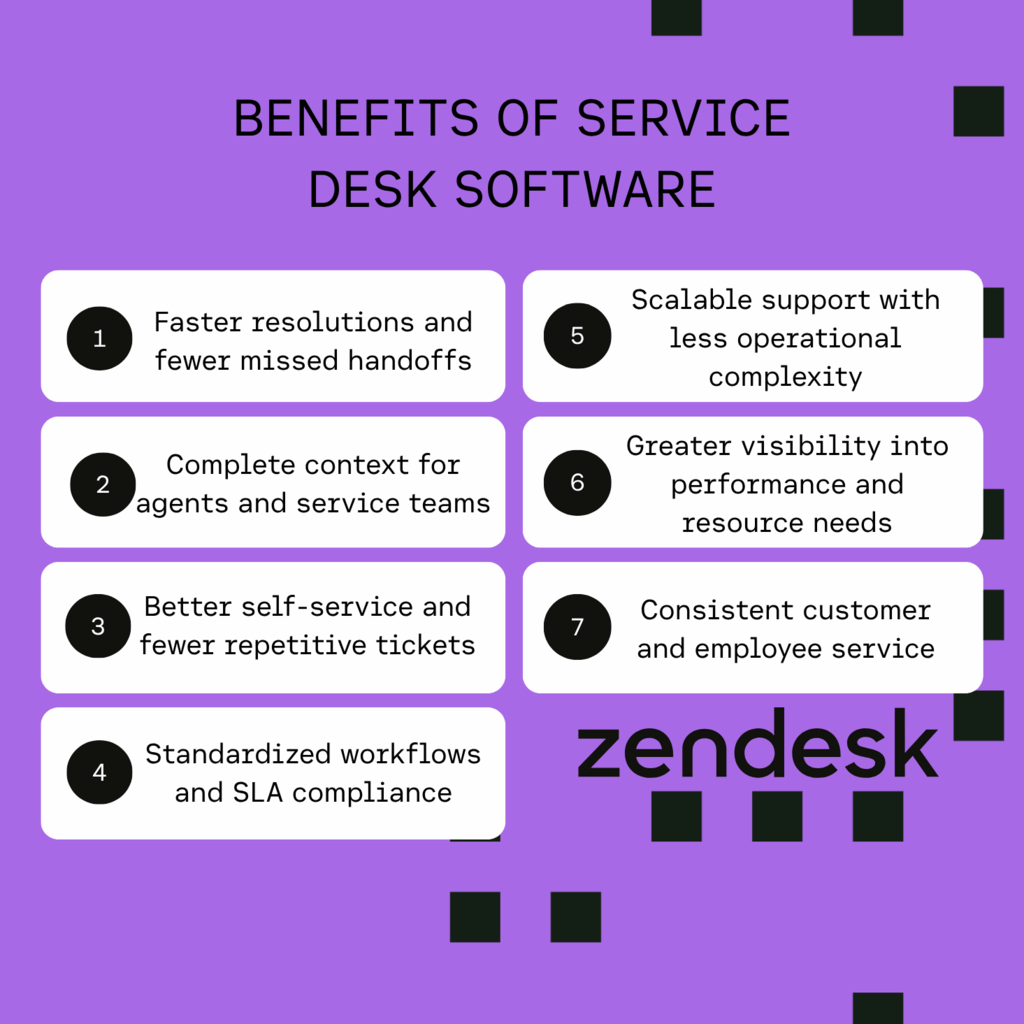
1. Faster resolutions and fewer missed handoffs
Centralized ticketing, intelligent routing, and automated workflows keep requests moving from intake to resolution. Clear ownership, prioritization, and escalation rules prevent tickets from getting lost between teams, reducing response and resolution times.
2. Complete context for agents and service teams
A unified workspace brings together conversation history, customer or employee profiles, request details, internal notes, related tickets, and relevant knowledge. With this context in one place, agents can avoid repeated questions, personalize responses, and resolve issues more accurately.
3. Better self-service and fewer repetitive tickets
Knowledge bases, help centers, employee portals, FAQs, and search tools let users find answers independently. AI agents can also resolve common requests without human intervention, reducing avoidable ticket volumes and freeing service teams to focus on complex issues.
4. Standardized workflows and SLA compliance
Standardized workflows, ticket fields, approvals, escalation rules, and automated notifications create more predictable service delivery. Service level agreement (SLA) tracking also identifies at-risk requests, allowing teams to act before deadlines are missed.
5. Scalable support with less operational complexity
Automation, reusable workflows, intelligent routing, self-service, and integrations allow teams to manage higher request volumes without proportional increases in headcount. Flexible service desk software also accommodates new channels, teams, brands, and use cases as business needs evolve.
6. Greater visibility into performance and resource needs
Reporting tools track first-response time, resolution time, ticket backlogs, SLA attainment, reopen rates, customer satisfaction (CSAT), self-service deflection, and agent workload. These insights reveal recurring problems, inefficient workflows, and capacity gaps, guiding improvements to knowledge, processes, and staffing.
7. Consistent customer and employee service
A unified service platform standardizes request intake, routing, communication, knowledge, and reporting across customer-facing and internal teams. Organizations can tailor workflows and support experiences to each audience while managing service operations from one platform.
How to choose the right service desk solution
The right service desk software should meet your current support needs and scale as your business grows. Beyond comparing features and pricing, consider how each platform manages requests, connects teams, automates workflows, and delivers consistent service. Follow these eight steps to find the best fit.
1. Define your users, teams, and support channels
Identify who needs support and which teams will provide it. Consider external customers, employees, IT, HR, facilities, and other departments. Map the channels each group uses, including email, messaging, live chat, phone, social media, self-service portals, Slack, and Microsoft Teams.
2. Map request workflows, handoffs, and approvals
Document how requests enter your organization, get categorized and prioritized, and move between teams. Identify ticket ownership, approval steps, escalation points, and areas where manual data entry or unclear handoffs cause delays. Look for software that can standardize these processes and reduce missed requests.
3. Identify essential service management capabilities
Separate must-have features from those you may need later. IT teams may prioritize incident, problem, change, asset, and configuration management. Customer service teams may focus on omnichannel case management, customer profiles, knowledge management, satisfaction tracking, and service level agreements (SLAs).
4. Evaluate AI, automation, and self-service capabilities
Compare AI agents, agent assistance, ticket summaries, suggested replies, intent and sentiment detection, automated categorization, and intelligent routing. Assess workflow triggers, knowledge search, help centers, and self-service portals. Check whether AI responses use approved knowledge sources and whether administrators can monitor accuracy, performance, and resolution outcomes.
5. Review integrations, security, and compliance
Identify which systems the platform must connect to, including customer relationship management (CRM), identity providers, HR platforms, collaboration tools, and monitoring software. Evaluate available integrations, APIs, webhooks, role-based permissions, audit logs, encryption, compliance certifications, data retention controls, and data residency options.
6. Assess implementation, administration, and scalability
Consider how much time and technical expertise the platform requires to configure, maintain, and govern. Review no-code administration, migration assistance, training, vendor support, implementation partners, uptime, and performance. Confirm that the solution can accommodate additional agents, departments, brands, channels, workflows, and languages as your organization grows.
7. Calculate the total cost of ownership
Look beyond the advertised starting price. Account for agent licenses, seat limits, AI usage, messaging and voice charges, storage, premium reporting, integrations, migration, training, and implementation services. Compare equivalent plans over one or three years to understand the total cost as support demands increase.
8. Test the platform with realistic service requests
Use a free trial or pilot to evaluate shortlisted solutions with real or anonymized requests. Include simple, complex, urgent, cross-team, multilingual, and self-service scenarios. Measure setup time, routing accuracy, agent effort, resolution times, reporting quality, AI answer accuracy, and customer or employee satisfaction against predefined success criteria.
Frequently asked questions
Try service desk software for free
Zendesk enables businesses to deliver seamless omnichannel support over any channel, equipping agents with key details to personalize interactions at scale. Plus, it offers cutting-edge AI trained on billions of service interactions, so it’s ready to go out of the box. And it’s flexible, enabling teams to quickly adapt their service operations to the changing needs of the business.
Our service desk software is easy to use, so it doesn’t require extensive training or large teams of technical resources to set up. Agents can leverage AI to automate and streamline workflows to increase productivity and better manage growing ticket volumes.
Try it for free today to see how Zendesk can transform your IT support operations.
Justine Caroll
Director, Product Marketing
Justine is a product marketing leader with 15+ years of experience in B2B SaaS and consumer technology. She leads Zendesk's Employee Service product marketing team, helping departments like IT and HR deliver exceptional service through AI-powered, easy-to-use tools. Her favorite part of the job? Launching products that truly help customers and deliver real impact.
Related service desk software links
Learn more about service desks, IT support, and related topics in our guides below.